
Most automation programs do not fail because the technology was wrong. They fail because the process underneath was only ever designed for the volume it had at the time. Add three times the customers and the workflow that quietly depended on someone checking things by hand stops holding. The pilot worked. The rollout is where it breaks.
AI business automation is the part of the answer that gets talked about most and understood least. The label now covers three fairly different things, and picking the wrong one is how teams end up automating a process they should have redesigned. Getting it right decides whether you are buying an orchestration layer, a document pipeline, or a rules engine with a model bolted on. At LaunchPad Lab we have shipped all three.
By the end of this article you’ll have a test you can apply to a process before you commit the budget to automating it.
TL;DR
- AI business automation uses models rather than fixed rules. It absorbs the exceptions that used to route to a person
- The three competing labels, AI business automation, AI workflow automation and intelligent process automation, overlap. The one you need depends on whether your inputs are structured and whether your systems have APIs
- Document-heavy and decision-heavy processes pay back first, because the rules were always too varied to hard code
- What breaks at scale is almost never the model, it is the exception path nobody designed the solution for
- Governance and a named owner decide whether the second project gets funded, not the tooling you picked
What is AI business automation?
AI business automation is the use of AI technologies combined with traditional fixed rules, to run and adapt business processes end to end.
On one hand, traditional automation follows a script you wrote in advance. On the other hand, AI automation reads unstructured inputs, decides between paths, and handles the exceptions that used to route to a person. It helps a lot with document-heavy and decision-heavy workflows, where the rules were always too varied to hard code.
Here is the rule of thumb: If you can write the rules down completely, you don’t need AI to run the process, and adding a model mostly adds cost and a new failure mode.
But, if you can’t, because the inputs arrive as email attachments and scanned PDFs and free text, then rules-based automation has probably already stalled somewhere in your business.
The distinction that matters is about who handles the unusual case. Rules-based business process automation executes the path you anticipated and escalates everything else. AI business automation absorbs a share of the cases you did not anticipate, and routes the rest with context attached. When teams tell us their automation “works but still needs a person watching it”, that gap is usually what they’re describing. Closing it is where our AI automation services start.
AI business automation vs AI workflow automation vs intelligent process automation: what is the difference?
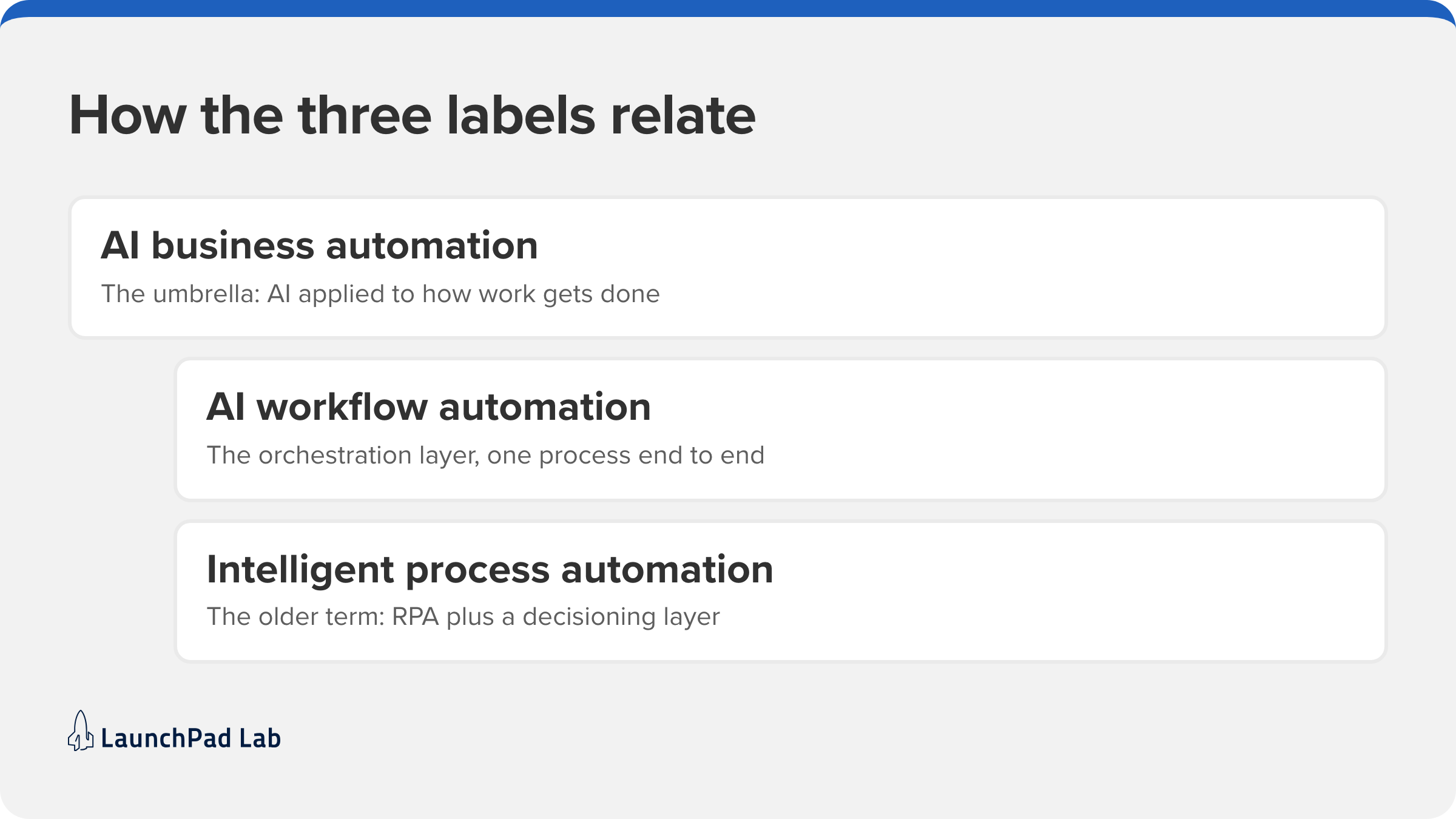
These three labels get used interchangeably and they shouldn’t be. Here is a quick breakdown of the differences between the 3 labels:
| Label | What it actually is | Reach for it when | Your systems have no API and the inputs are forms, invoices or claims |
| AI business automation | The umbrella: applying AI to how work gets done across the business | You are framing a budget or a strategy, not scoping a build | Useless for scoping. Nobody can quote it |
| AI workflow automation | The orchestration layer that sequences steps and picks the next action from data | You have a multi-step process that branches on what the input says | Agents choosing their own path are harder to govern than a workflow |
| Intelligent process automation, or AI business process automation | Robotic process automation plus a decisioning layer, usually with document extraction | Your systems have no API and the inputs are forms, invoices or claims | Bots break when a vendor refreshes a screen |
AI workflow automation
This is the orchestration layer:
- it sequences steps
- calls systems
- decides what happens next from the data, rather than from a fixed branch you drew in advance.
It also involves AI agents, which differ from a workflow in one way that matters: an agent picks its own sequence of actions toward a goal instead of following yours.
Intelligent process automation (IPA) and AI business process automation
These two labels describe the same territory, and it’s the territory enterprise vendors were selling before “AI” became the front-of-box term. Both generally mean robotic process automation plus a decisioning layer.
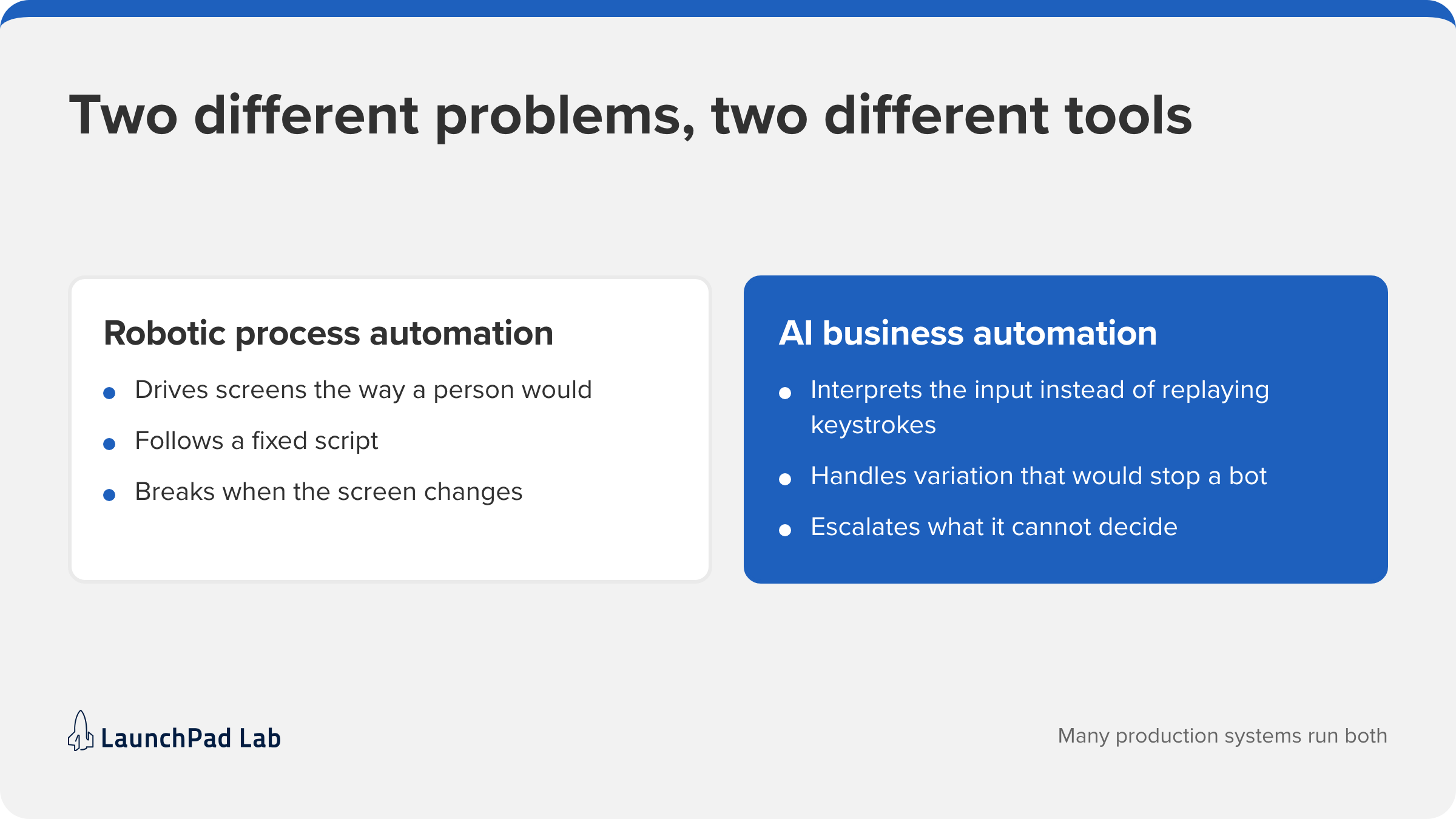
Robotic process automation, the technology behind tools like UiPath, drives software interfaces the way a person would: clicking through screens to move data between systems that never got an API. It’s still useful against legacy systems, and it’s still brittle, because a vendor’s UI refresh can break a bot that ran fine for two years.
Which one you actually need
Start with workflow automation on one document-heavy process, not with a platform decision.
If you’re running legacy systems with no API, you’ll end up with some robotic process automation in the mix whether you planned for it or not. Plan for it, because the maintenance cost lands on whoever inherits the bot.
The new scaling challenge: why legacy models break at scale
The standard way to scale has always been to add people and processes as demand grows. That works until the coordination cost of those people exceeds the value of the work they absorb, which happens sooner than most plans assume.
Four things tend to break first:
- Manual processes do not scale linearly. A doubling of volume can more than double the effort.
- Headcount creates overhead before it creates output. Every new person needs onboarding, review and a manager.
- Legacy systems resist real-time adaptation. They were built for batch, and retrofitting is expensive.
- Data silos produce inconsistent experiences, which then need their own reconciliation work.
None of that is new. What’s new is that the fix no longer has to be a rewrite.
In the automation projects we’ve shipped, the thing that breaks first at scale is almost never the model. What breaks is the exception path: the handful of cases nobody designed for, which grows in absolute terms until it quietly becomes a team.
How AI business automation powers smarter scaling
Scaling well means the cost of handling more work grows slower than the work itself. AI business automation gets you there in three ways. It orchestrates processes that cross system boundaries. It lets workflows make routine decisions without waiting for a person. And it adds enough intelligence that the process improves rather than just repeats. They are usually built in that order.
Dynamic process automation across the business
Real operations are rarely linear. As organizations grow, processes touch more systems, more teams and more of the customer journey, and the handoffs between them are where the time goes.
Orchestration platforms such as Microsoft Power Automate handle the plumbing between those systems, so the connector logic is configuration rather than another service your team maintains.
Where the process has to be auditable, teams model it in BPMN 2.0 so the diagram and the running system stay the same artifact.
The practical marker is latency: a handoff that used to wait in a queue overnight completes inside the same hour, and the queue never becomes a team.
AI workflow automation for adaptive decision-making
When conditions change faster than a quarterly review, decisions have to be made inside the workflow rather than around it. This layer leans on three things:
- Natural language processing reads the unstructured inputs, the email body and the attached PDF, and turns them into fields a system can act on.
- Machine learning scores or classifies those fields against what happened last time.
- Predictive analytics picks the next-best action, and the workflow triggers it without a person in the path.
A concrete version: a customer onboarding flow reads what the applicant submitted, scores it, and adjusts the following steps from profile and engagement signals. That turns a two-day review into a same-session decision for the clean cases.
Intelligent process automation driving operational agility
IPA is what turns that flexibility into throughput, and the component doing most of the work is usually intelligent document processing: pulling structured fields out of invoices, claims, contracts and forms.
In our experience that’s the most common first use case in regulated industries, because the volume is high, the format is inconsistent, and the process it replaces is a person retyping a claims file for twenty minutes.
Above that sits the decision layer, where AI agents take the exceptions that used to escalate and either resolve them or route them with the context already attached. Stack enough of this together across departments and the industry calls it hyperautomation, which is a budget word rather than a technical one.
The honest caveat: this is the most oversold layer in the category. It works when the underlying process is sound. Applied to a broken process it produces a faster broken process, which is why sequencing matters more than tooling.
Where AI business automation is driving the most impact today
The clearest returns show up in functions with high transaction volume and inconsistent inputs. What those share is that the work was always rules-heavy, the exceptions were always frequent, and the previous answer was always more people. Customer operations, personalization and revenue operations are where that pattern shows up first.
Scaling customer operations without scaling headcount
Customer expectations keep rising and expanding a human-only support organization to match them stops being viable. AI business automation lets teams automate high-volume inquiries, personalize outreach, and coordinate engagement across channels while keeping the team roughly flat.
Agentforce is a clear example: Salesforce AI agents take frontline tasks so human agents keep the interactions that need judgment. We built a self-service dealer portal for Kawasaki Engines serving 7,700 dealers, and a Salesforce Experience Cloud hub for Bullhorn supporting 10,000 staffing firms. In both cases the point was not deflection volume. It was that the support model stopped scaling with the customer count. Building that agent layer is AI agent development work.
AI-driven product and service personalization at scale
Personalization used to be a tradeoff against operational load. Adaptive workflows remove most of that tradeoff by generating recommendations and offers as the interaction happens rather than in an overnight batch. On Salesforce this is usually a customer data platform feeding a scoring model, with the decision made in the milliseconds the page takes to render.
The practical caution is relevance decay. A model trained on last year’s behavior degrades quietly and nobody notices until conversion drifts. Set a retraining cadence, weekly or monthly depending on how fast your catalog moves, and a drift alert, on day one rather than after the first bad quarter.
Revenue operations and lead-to-cash acceleration
Revenue teams lose more time to manual coordination than to selling. AI business automation compresses the lead-to-cash cycle through lead scoring, automated outreach, quote and contract generation, and forecasting that updates itself.
We rebuilt a consumer lender’s manual document workflow as an AI process automation flow. The same pattern applies to quoting through tooling like Salesforce CPQ, where a quote that took two days of back-and-forth turns around the same afternoon. The constraint is rarely the model. It’s that the CRM data has to be good enough to act on, and on day one it usually isn’t.
4 key steps to scale smarter with AI automation
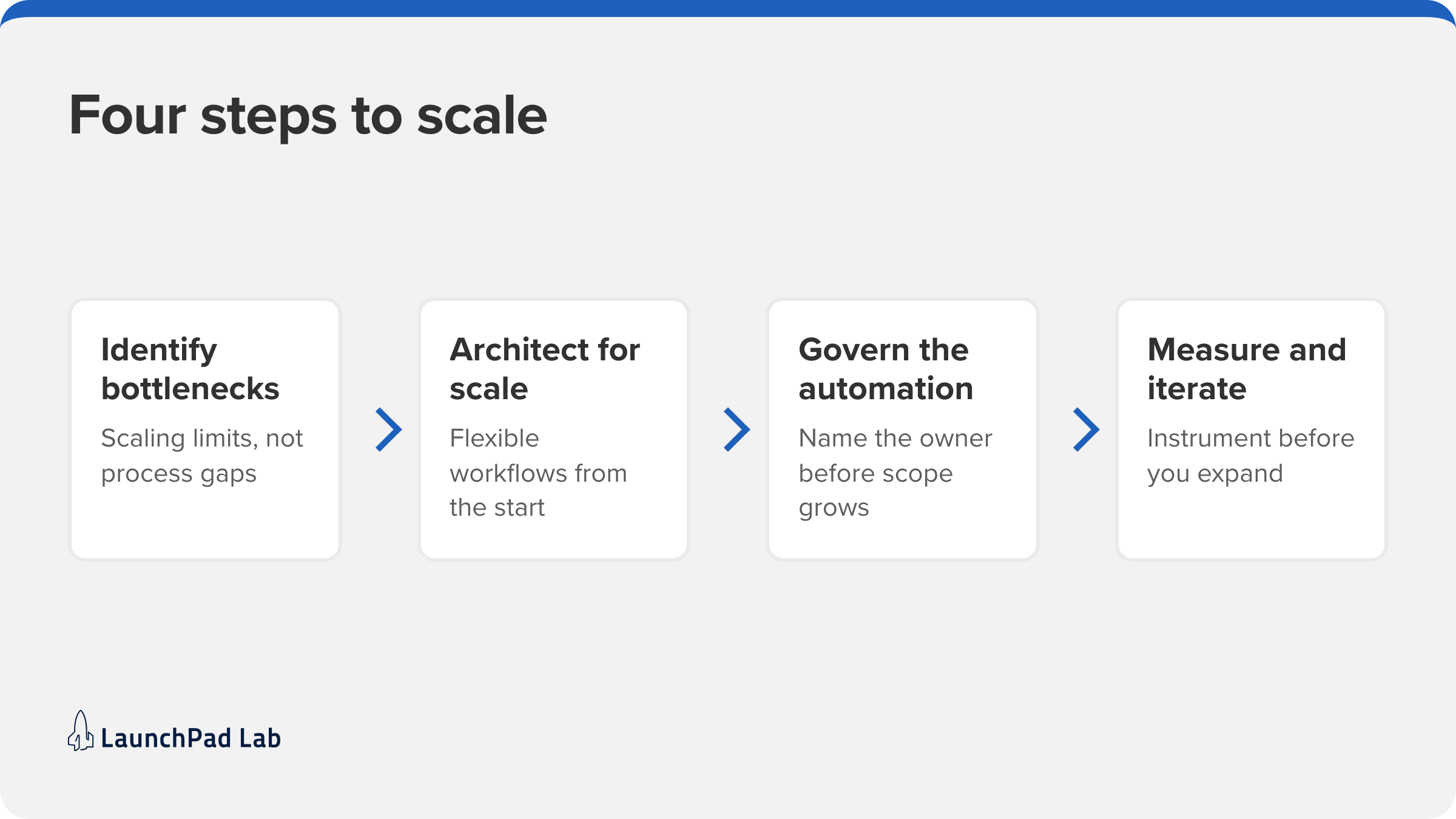
1. Identify scaling bottlenecks, not just process gaps
Ask where growth introduces friction, not where a task is manual. Those are different questions and they produce different shortlists.
Look for:
- processes that break as volume rises
- workflows needing disproportionate manual effort
- cross-functional processes executed inconsistently depending on who runs them
The test: if the process cost stays flat when volume doubles, it isn’t a bottleneck, whatever it costs today will increase over time.
2. Architect AI workflows for flexibility and scale
Design for change, because the process will change.
Workflows should be modular and composable, data-driven so they improve with use, and integrated across systems rather than bolted to one.
The test: can you change one step without regression-testing the whole chain? If not, you’ve built a monolith with a model in it.
3. Govern AI automation to drive sustainable outcomes
Without governance, AI programs break into pilots nobody owns. The NIST AI Risk Management Framework is the reference most regulated clients are being asked about.
AI governance is the unglamorous part that decides whether the second project gets funded. Establish process ownership, model monitoring and retraining, and clear compliance guidelines before scope grows.
The test: can you name the person accountable for this process after launch? The projects that stall are usually the ones where the answer is a team, not a name. Getting this right early is most of what AI consulting engagements actually resolve.
4. Measure and iterate for scaling impact
Treat the system as live, not shipped. Define metrics tied to scaling rather than activity:
- cost-to-scale ratio
- time-to-market
- customer satisfaction measures such as NPS and CSAT
- revenue per operational FTE.
The test: do you have the baseline? If you didn’t measure the process before automating it, you won’t be able to prove the change, and the second phase will be harder to fund than the first.
Common pitfalls when scaling with AI business automation
Four types of failures come up repeatedly and none of them are technical problems:
- Automating a broken process. Automation scales whatever it’s pointed at, including inefficiency. Redesign first. This is the most common and most expensive mistake on the list.
- Overengineering the workflow. Complex, rigid flows are brittle and costly to maintain. Modular beats clever, particularly when the team maintaining it is not the team that built it.
- Ignoring change management. Automation changes how people work. Involve them early, train properly, and expect adoption to lag capability by longer than the plan assumes.
- No executive alignment. Without sponsorship, automation fragments into disconnected pilots. Tie the program to a named scaling objective and a named owner.
What AI business automation success looks like
Done well, the result is that unit costs stop tracking volume. That shows up in three places:
- Customer operations absorb growth without proportional hiring
- Lead-to-cash cycles shorten, because the coordination steps are gone rather than faster
- Customer experience gets more consistent, because fewer cases depend on who happened to handle them
Across 760+ projects for the 250+ clients we’ve worked with, the pattern is consistent: the wins come from removing a coordination step rather than from adding intelligence to a step that was already working.
For a wider set of examples, see our practical AI use cases for business and our work on scalable automation with headless agents.
Where to start
The organizations getting real returns from AI business automation are not the ones with the most tooling. They are the ones that picked a single process that mattered, measured it honestly before touching it, redesigned it before automating it, and gave it a named owner after launch.
That sequence is unglamorous and it’s most of the difference between a pilot and a program. Audit where scaling actually introduces friction, design workflows that can change, govern them before scope grows, then measure and expand.
If you’d rather work through that with a team that has taken automation programs through production, our AI software development group does this work.
Ready to see where AI business automation would move a real number? Start with a Blueprint Workshop
Frequently asked questions
These are the questions that come up most often once a team starts scoping this work, and the ones the search results leave half-answered. The short version: the labels overlap more than the vendors suggest, the first project should be small and measurable, and the processes worth automating first are the ones where the inputs were never consistent enough for rules.
What is AI process automation?
AI process automation applies AI models to a specific business process so it can interpret inputs and decide between paths rather than following fixed rules. It is usually narrower than a full program: 1 process, 1 measurable outcome. Most organizations start here because the scope is small enough to prove value before committing to a platform.
How is AI automation different from robotic process automation?
Robotic process automation drives software interfaces the way a person would, clicking through screens to move data between systems lacking APIs. It follows a fixed script, so a single UI refresh can break a bot that ran for 2 years. AI automation interprets the input instead of replaying keystrokes, so it handles variation that would stop a bot. Many production systems run both.
How can I automate my business with AI?
Start with 1 process that has high volume, inconsistent inputs and a measurable cost. Baseline it before you change anything. Redesign the process, then automate it, in that order. Prove the outcome on a single workflow, name an owner, and only then expand. In the programs we’ve reviewed, teams that pick a platform before they pick a process are the ones that end up rescoping.
Which business processes benefit most from AI automation?
Document-heavy and decision-heavy processes with high volume and variable inputs. In practice that means invoice and claims processing, customer onboarding, support triage, and quote generation. The common feature across all 4 is that the work was always rules-based in theory and full of exceptions in reality, which is exactly the gap rules-based tools leave open.
How does AI workflow automation hold up as a company scales?
It holds up when it was built modular and monitored, and degrades when it isn’t. The failure mode is rarely a sudden break. It is drift: exception volume creeps up, a model gets stale, and the workarounds become a team again. Build monitoring and ownership from day 1 and the workflow scales.