
For leadership teams, the question has changed. It used to be “Should we adopt AI?” Now it’s “Where will AI actually pay off for us?”, and every provider you talk to has a different answer. The AI business use cases that have proven themselves are usually the unglamorous ones: a repetitive process, a pile of documents, a decision someone makes all day long.
At LaunchPad Lab, we design and build AI software for mid-market and enterprise teams. Picking where to use AI for business is only half the job. A use case lives or dies on the data behind it and on who reviews the output, far more than on the model. That’s also where pilots tend to stall.
You’ll come away able to name one process in your business worth trying AI on first, and what it will need from your data and your team before it can work.
TL;DR
- The AI business use cases that pay off first are repetitive and measurable, like support replies, invoice matching, and document review.
- Enterprise AI use cases add harder layers: scattered data, regulation, integrations, and deciding where a person steps in.
- Start with one costly process you can measure, check its data, set the review level, then pilot.
- Even successful AI business applications found data quality, process redesign, and change management harder than the technology.
What is artificial intelligence in business?
Artificial intelligence in business is the use of software that learns from data and language to do work people used to do by hand.
It covers four kinds of work:
- Sorting
- Predicting
- Drafting
- Answering
Each of those becomes one of many AI business use cases once it’s pointed at a real process, like triaging support tickets or matching invoices to purchase orders.
What type of AI is used in business?
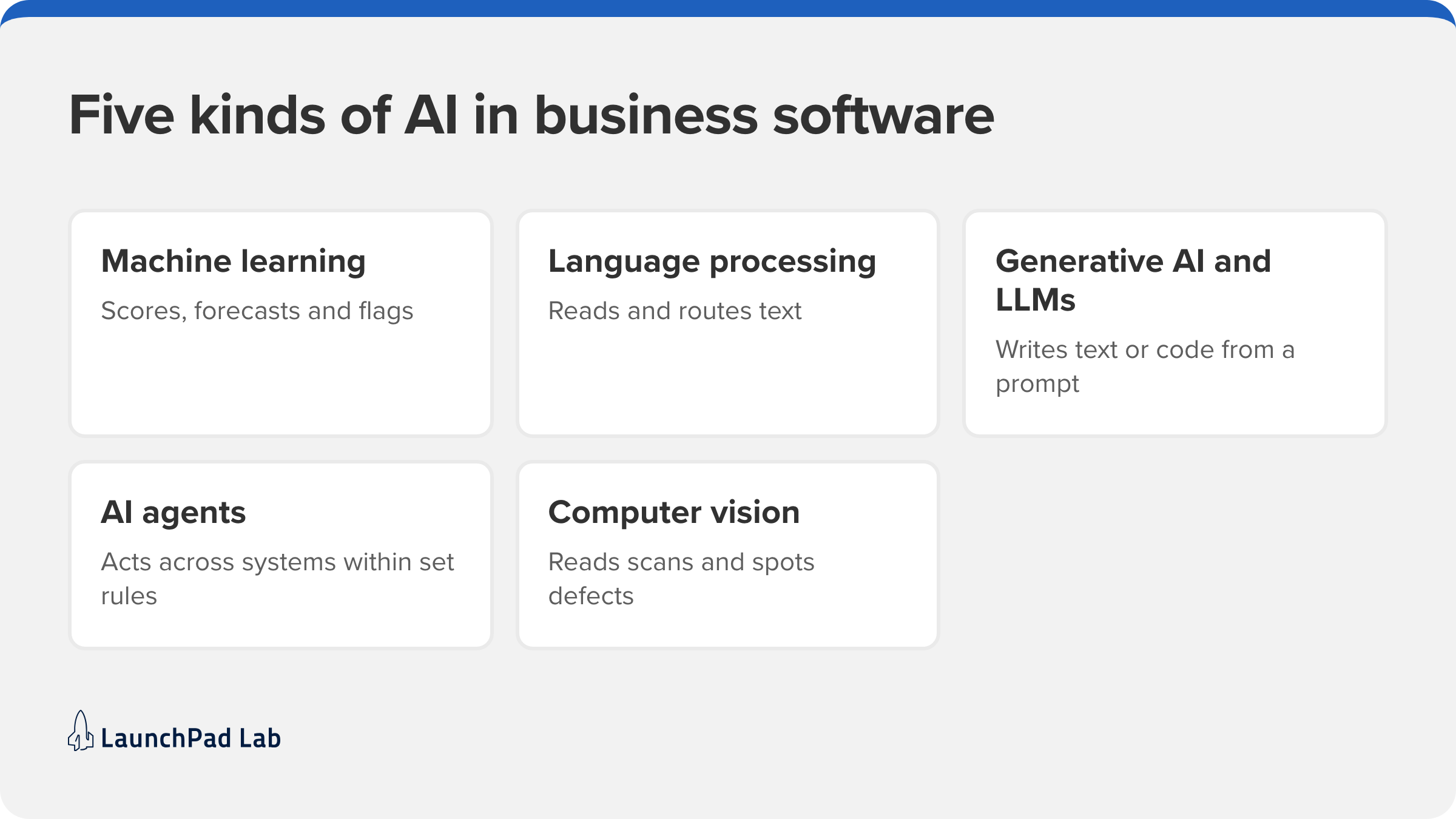
Five kinds of AI do most of the work in business software, and one product often combines two or three. A support assistant, for example, pairs language processing with a large language model. Knowing which is which makes provider pitches much easier to read:
- Machine learning and predictive analytics find patterns in historical data to score, forecast, or flag, which is how demand forecasting and fraud detection on card payments work.
- Natural language processing reads and classifies text, so it can route an email, pull the key fields out of a contract, or tag the sentiment of a survey response.
- Generative AI and large language models write new text or code from a prompt, and they power the drafting assistants and chat interfaces you’ve seen.
- AI agents go a step further and take actions across systems, like updating a CRM record or opening a ticket. They usually follow rules about when to stop and ask a person. This is often called agentic AI, and Gartner predicts that by 2028, 33% of enterprise software applications will include it, up from less than 1% in 2024.
- Computer vision interprets images and video, from reading a scanned form to spotting defects on a production line.
AI business use cases in 7 different departments
No matter the department, the first wins look alike: a task done many times a day, with a clear right answer and a person who’d rather be doing something else. Customer service and finance usually get there first because the volume is high and the results are easy to measure.
The first wins usually start by automating one repetitive workflow, which is where our AI automation services begin, with one process measured before and after. Our guide to AI business automation covers how the two fit together.
Here’s how it plays out across seven departments. Our AI in action webinar shares more examples of AI at work across teams.
| Department | Use case | What it replaces | Example |
| Customer service | Suggested answers during live conversations | Searching the knowledge base mid-call | Agents with an AI tool were nearly 14% more productive (NBER, 2023) |
| Sales and marketing | Lead scoring and personalized outreach | Working leads in the order they arrived | Ranking inbound leads by likelihood to close |
| Finance and accounting | Invoice processing and anomaly checks | Matching invoices to purchase orders by hand | Flagging invoices that don’t match their PO |
| Human resources | Resume screening and onboarding support | Reading every application first | Ranking applicants against the job’s criteria |
| IT and security | Incident detection and triage | Watching dashboards and alert queues | Grouping related alerts into one incident |
| Operations and supply chain | Demand forecasting and document processing | Spreadsheet forecasts and manual data entry | Forecasting demand from sales history and seasonality |
| Software and product development | Coding assistants and test generation | Writing boilerplate and tests by hand | Drafting unit tests for an engineer to review |
1. Customer service
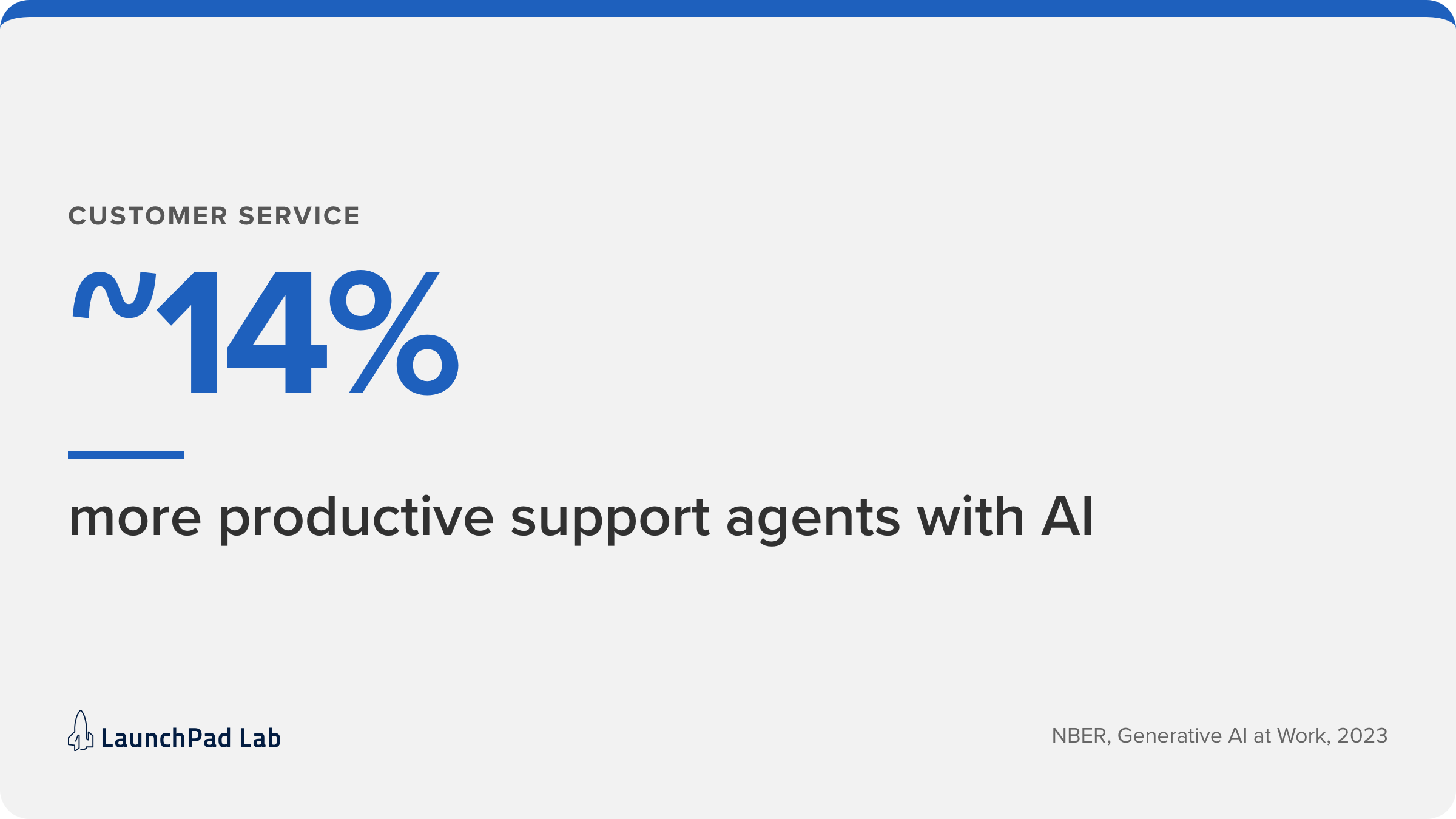
Support is often where AI pays off first, because the questions repeat and the answers already exist. Support assistants usually rely on retrieval-augmented generation, meaning they answer from your own help articles and past tickets. We explain how retrieval-augmented generation improves AI output in a separate post.
The answers are only as good as your help content. If an article is out of date, the assistant repeats the old answer. Keep a person on refunds and account changes.
2. Sales and marketing
Lead scoring only works if your CRM history is honest. If reps skip fields or close deals outside the system, the model learns the wrong lessons. Generative AI helps with first drafts of emails and campaign copy, as long as someone checks the claims.
3. Finance and accounting
Finance teams get quick value from intelligent document processing, which turns invoices, receipts, and statements into structured data. Pair it with anomaly checks and fraud detection so an unusual payment gets a second look, not an automatic approval.
4. Human resources
Screening and onboarding are good candidates, but questions about bias and fairness land here first. Use AI to sort and summarize, and keep a recruiter responsible for every decision about a candidate.
5. IT and security
IT teams drown in alerts. AI that groups related incidents and predicts failures gives engineers fewer, better tickets, and works best with logs from several systems.
6. Operations and supply chain
Demand forecasts improve when the model sees promotions, seasonality, and supplier lead times, not just last year’s sales. Operations also run on paperwork, which document processing reads faster than anyone can retype it.
7. Software and product development
Coding assistants now speed up the repetitive parts of engineering work. Every line still needs review, because plausible-looking code isn’t always correct.
What makes enterprise AI use cases different?
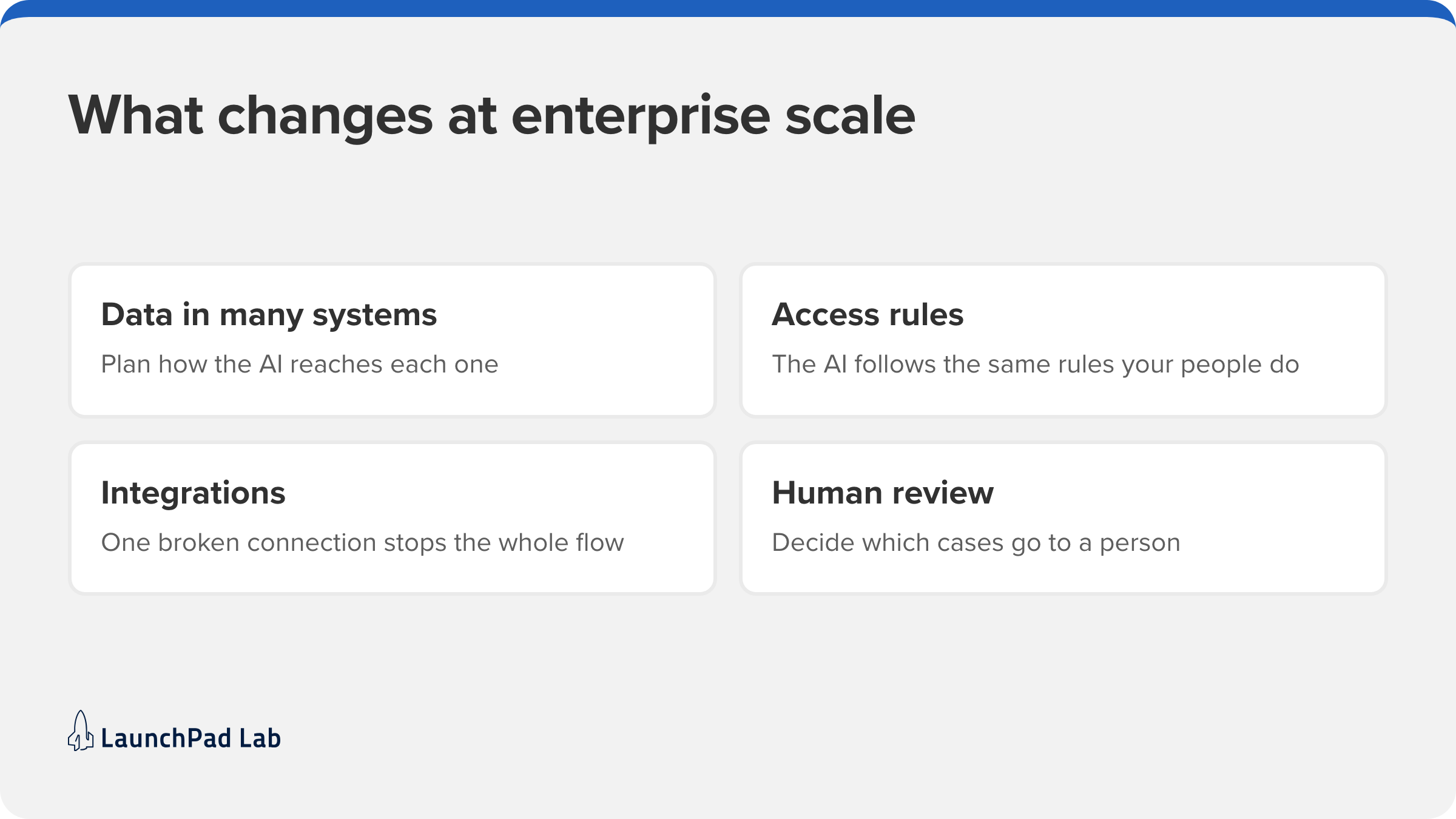
At an enterprise scale, picking the use case is the easy part. The AI itself works the same way, but what it’s being built around is different. Enterprise AI use cases succeed or fail on four things, and each one needs a plan before you build:
- Data lives in many systems. A support assistant may need your CRM, your help center, and your ticket history. Plan how the AI will reach each one before you build it.
- Not everyone can see everything. The AI has to follow the same access rules your people do. In regulated industries, data governance comes first: a healthcare workflow covered by HIPAA needs every AI action logged.
- Integrations have to keep working. When an AI agent updates records in several systems, one broken connection stops the whole flow. That’s the work our AI agent development team does, starting with identifying where people step in.
- Someone has to check the output. Refunds and hiring decisions already need a person. At scale, you choose which cases the AI handles alone and which go to a person, and that choice is what human-in-the-loop means in practice.
What are examples of AI in business?
The clearest ones have a visible before-and-after: a process that took days, a team buried in documents, knowledge nobody could search.
We’ve shipped AI for clients across several industries, and these three AI in business examples show how we work, from a customer-facing assistant to back-office document review.
| Client | The problem | What we built | Result |
| Prosci, change management training | Preparation materials and client exercises were static PDFs and spreadsheets | A digital hub suite, then Kaiya, an OpenAI-powered assistant that answers from Prosci’s own research | Kaiya became a new source of recurring revenue |
| Healthcare insurance platform | Nurses reviewed faxed, typed, and handwritten clinical records by hand | AI that extracts the details, checks each case against clinical guidelines, and drafts a recommendation for a nurse to approve | 85–90% accuracy; review time expected to fall from 3–4 days to under 24 hours |
| Actuarial consulting firm | Valuation reports took up to 60 days because of manual data entry and file reconciliation | AI-driven parsing and automated reconciliation in a custom application | Service turnaround roughly ten times faster |
In each case, the AI does one job inside a larger system: reviewing clinical records, reconciling actuarial data, or answering practitioners’ questions from Prosci’s research. That’s typical of our AI software development work: the AI is one part of a product built around how your team actually works.
Where should you start with AI to drive real business outcomes?
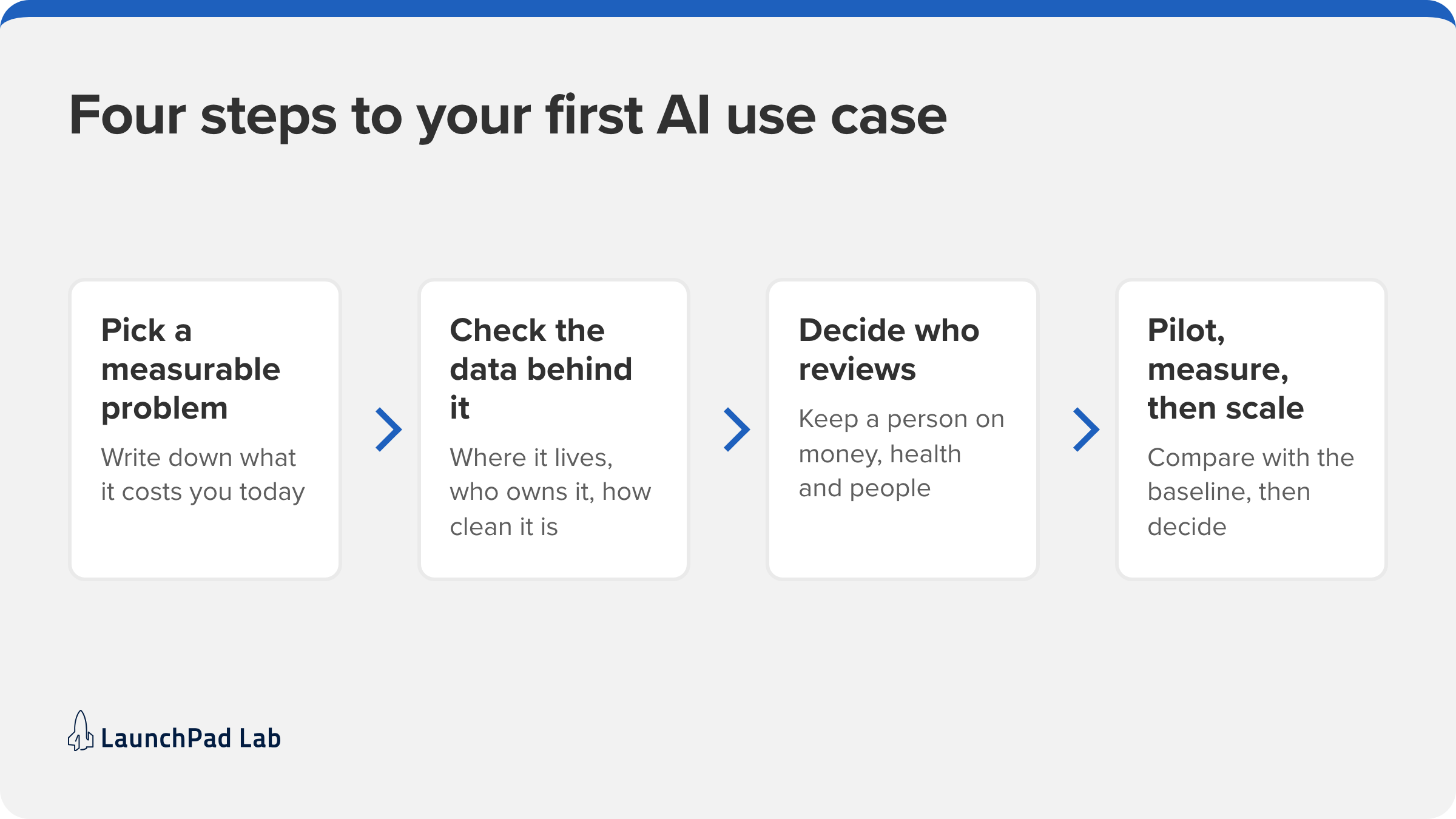
Pick one process that costs you real time or money today and that you can measure, rather than a tool or a model. If you can’t say what the process costs now, you can’t show that AI helped. These four steps keep a first project small enough to finish.
1. Pick one AI-for-business problem you can measure
Look for volume and repetition: tickets answered, invoices matched, documents reviewed. Write down today’s number in hours per week, days per case, or errors. That baseline turns an experiment into a result you can report.
2. Check the data behind it
Ask where the inputs live, who owns them, and how clean they are. If the answers are scattered across inboxes and spreadsheets, fixing that is part of the project, and often the biggest part.
3. Decide how much a human reviews
Choose the review model before you build. Low-risk work can use the escalation setup described above. Keep a person on every decision about money, health, or people until you can prove accuracy.
4. Pilot, measure, then scale
Run the pilot long enough to compare against your baseline, then scale it, fix it, or stop. The second use case usually goes faster, because the data work and review rules carry over. Our guide to AI implementation strategy covers the full plan from pilot to production.
Why AI business applications stall, and how to avoid it
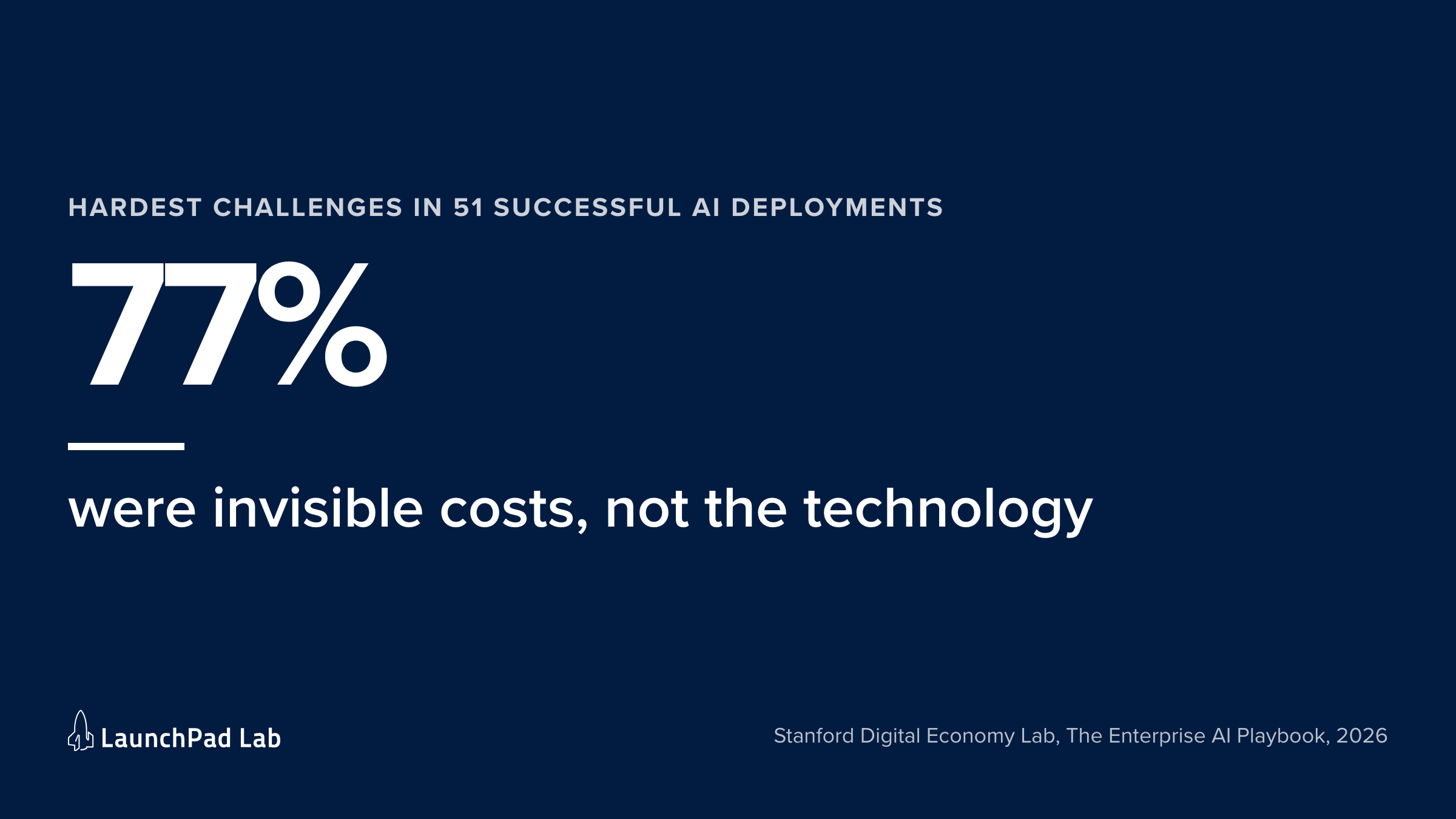
The technology is usually not the hardest part, even in successful projects. In the Stanford Digital Economy Lab’s 2026 study of successful deployments, 77% of the hardest challenges were invisible costs such as change management, data quality, and process redesign. Projects that stall tend to hit the same problems earlier and never get past them.
These five problems stall AI business applications again and again:
- No business case. An AI project without a metric becomes an expensive experiment, so tie it to one outcome before you start.
- Poor data. Incomplete or scattered data will derail even a well-chosen use case, so sort out data governance and access before you build.
- Low adoption. If people don’t trust the output, they’ll work around it. Show them how it works and where they stay in control.
- Too much, too soon. Launching five use cases at once spreads the team thin. Prove one, then expand.
- No change management. New tools change how people spend their day, so plan the training and conversations early rather than after launch.
A missing business case usually means the use case was picked before anyone measured the process. If you’re still deciding which one goes first, that’s the purpose of our AI consulting engagement. We help you pick where AI will pay off and plan how to ship it.
What to do next
AI business use cases pay off when they’re specific: one process, one baseline, and one decision about who reviews the output.
Artificial intelligence in business works best as a series of those small, measured bets, each built on data you trust and a review step you designed.
The next step is small. Pick the process that costs your team the most time, write down what it costs today, and check the data behind it. If the data is usable, you have a pilot. If not, cleaning it up needs to be your first step.
If you’d like a second opinion, our team can look at your processes with you and help you choose the first use case worth building. Book an AI Quick Start
Frequently asked questions
Who helps businesses implement AI with real results?
Look for AI consultancies and product partners that have shipped AI into production. Before you hire one, ask for AI in business examples they’ve shipped: at least two live systems, what each changed for the client, and who reviews the AI’s output. LaunchPad Lab is one of those partners, and we can walk you through the systems we’ve shipped.
How do you connect AI usage to business outcomes?
Pick the outcome metric before the pilot starts, measure it for at least 30 days as the process runs today, then compare the same metric after launch. Logins and prompts only show activity. Hours saved per week, days per case, and error rates show outcomes, and at least one belongs in your business case.
What AI projects require real-world business experience?
Projects that touch regulated data, several connected systems, or decisions about people. A HIPAA-covered document review, a workflow that feeds an ERP, or an agent that updates a CRM all need someone who has handled the exceptions before. Even among successful projects in Stanford’s 2026 study, 61% had at least one earlier failure.
What are the best practices for deploying AI in business use cases at scale?
Scale one proven use case at a time, reuse its data pipelines and review rules, and measure each against its own baseline. Keep a person on the exceptions until each new use case has proven its accuracy over at least one full review cycle.