The app your business runs on is old, every change takes longer than it should, and everyone agrees it has to be modernized. The people who built it have moved on, the framework stopped getting updates years ago, and nobody wants to be the one who signs off on a rewrite that might not work.
The real risk in legacy application modernization is that the new app quietly drops something the old one did and nobody wrote down. At LaunchPad Lab, we build custom software and modernize aging apps for mid-market teams, so we start by finding the features people have forgotten about.
Here’s how to inventory what your app does today, choose a path that fits it, and prove nothing was lost before you switch the old one off.
TL;DR
- Legacy application modernization means updating or replacing an app that still runs part of your business but no longer fits it.
- Inventory what the app does before you choose a path: business rules, integrations and workarounds.
- Pick a path for each app from the 7 Rs, which range from retiring it to rebuilding it, based on how much behavior you can risk.
- Prove nothing was lost with tests that record today’s behavior, data checks, one slice at a time, and a parallel run.
- AI coding tools speed up the rebuild but can’t tell you what to keep.
What is legacy application modernization?
Legacy application modernization means updating, restructuring or replacing an app that still runs part of your business but no longer fits what the business needs. “Legacy” describes how hard an app is to change more than how old it is. A twelve-year-old app with tests, documentation and a team that knows it can be easier to change than a five-year-old one nobody dares touch.
What is an example of a legacy application?
Here are a few you might recognize:
- A custom web app on a retired framework. The framework version no longer gets security updates, and hiring people who know it gets harder every year.
- An internal tool built in Access or Excel. It started as a shortcut and grew into something the business can’t run without.
- A portal held together by forms and email. Every request passes through a spreadsheet that one person maintains.
- Several cloned copies of one system. Each copy has its own server and database, and every fix has to be made more than once.
How is legacy system modernization different?
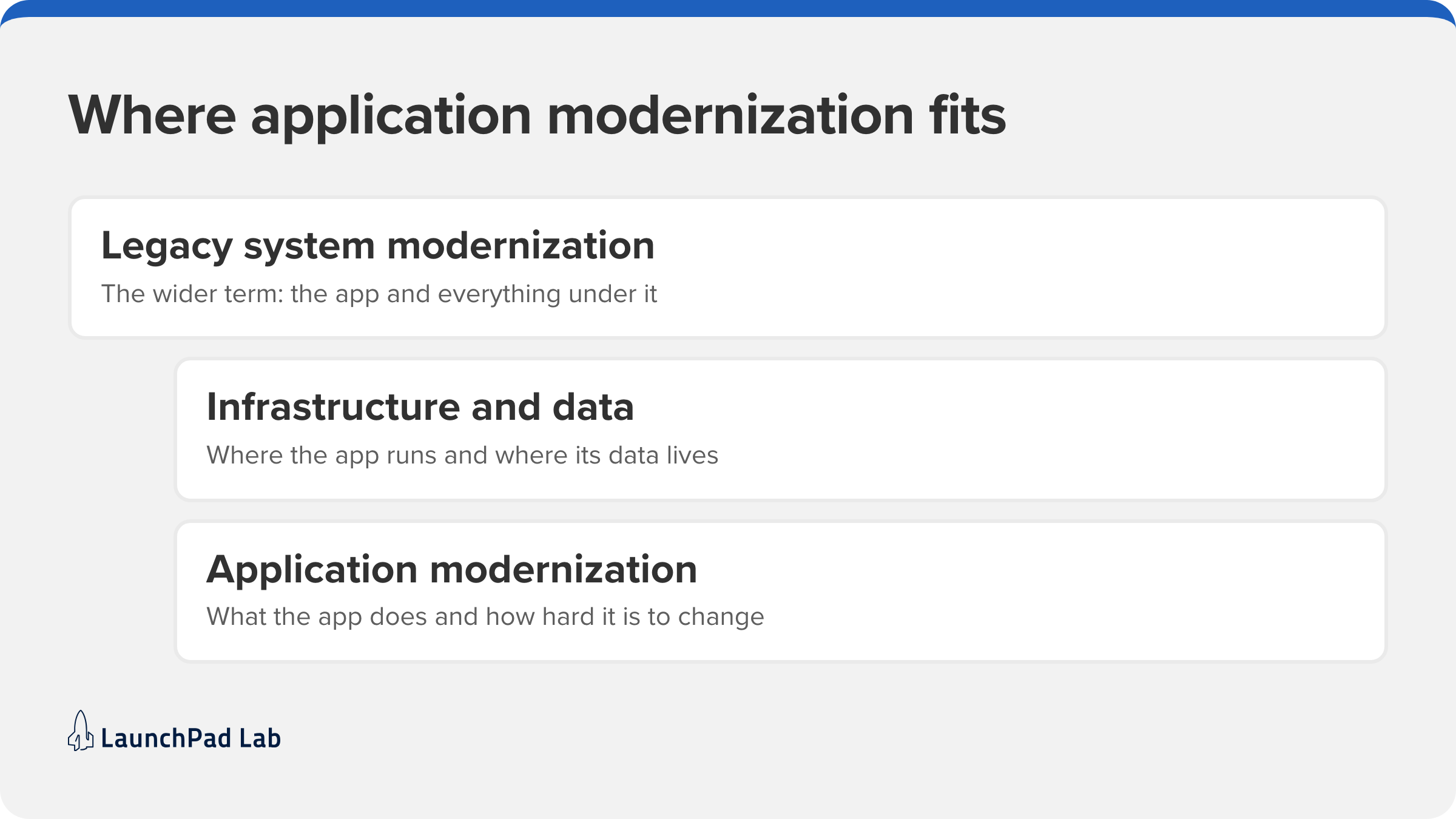
Legacy system modernization is the wider term. It takes in the infrastructure, hosting, and data platforms underneath an app as well as the software itself. TierPoint draws the same line between legacy infrastructure and legacy applications. If your main problem is where the app runs, that’s an infrastructure project; if it’s what the app does or how hard it is to change, that’s application modernization. Here we’re staying with the app your team and customers use every day. Mainframe and COBOL work is a specialty of its own, so we won’t cover it here.
Inventory what your legacy app does before you change it
Do this before you pick a strategy, because you can’t judge a rehost against a rebuild until you know what has to survive. The inventory also answers the feature parity question. In Patterns of Legacy Displacement, Thoughtworks’ Ian Cartwright, Rob Horn and James Lewis name the desire for feature parity, copying every old feature exactly, as “a third key factor in several of the failures” they describe. A good inventory lets you choose what to keep instead of copying everything.
Business rules buried in code and data
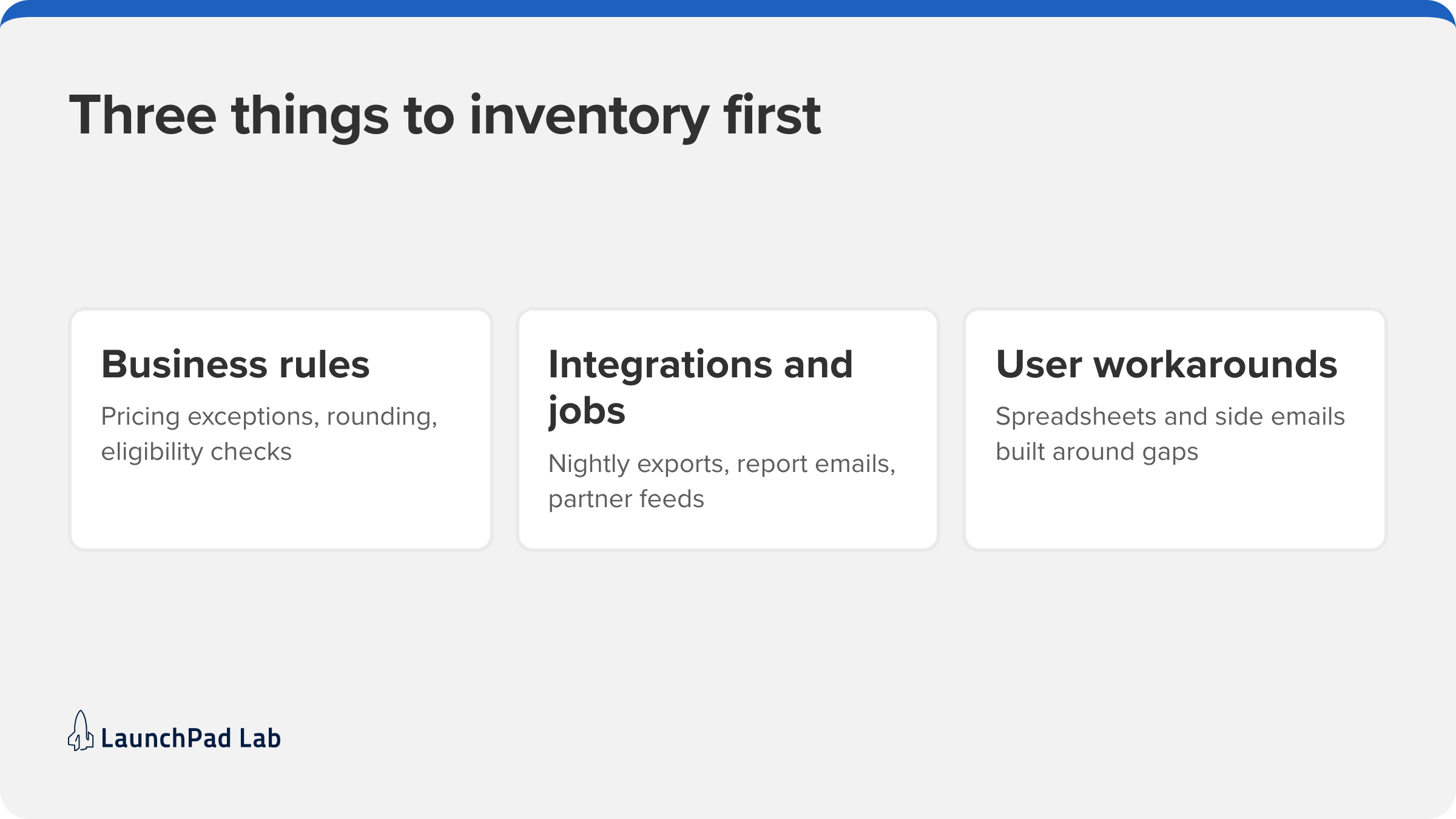
Some of your most important rules live only in code or data: pricing exceptions, rounding, eligibility checks, status codes that mean something to one team. A rule might be a special case for one long-standing customer that nobody remembers adding. Ask the people who use the app which outputs they would never accept changing, then trace each one back through the code.
Mapping the old system comes first when we take on legacy system replacement as part of our web application development work, because the map decides what the new system has to keep.
Integrations and scheduled jobs nobody owns
Write down everything that goes into the app and everything that comes out: nightly exports, report emails, a partner feed, a script running on someone’s server. Jobs like these often have no owner and no documentation, so people usually discover them when they stop running. For each one, record what it sends, where it sends it, and who depends on it.
Workarounds your users built around the gaps
The spreadsheets, copy-and-paste steps, and side emails your team built around the app show you where it falls short. They tell you where the new app should improve on the old one. Watching people work for an afternoon usually teaches you more than reading the code.
Legacy application modernization strategies: Which one fits your app?
AWS groups the options as the 7 Rs: retire, retain, rehost, relocate, repurchase, replatform, and refactor or re-architect. For an application, the choice comes down to how much behavior you’re willing to put at risk. The table below leaves out relocate, which moves servers without changing the app, and splits refactor from re-architect.
Here’s how each path compares:
| Path | What changes | What you can lose | Choose it when |
| Retire | The app is switched off | Any use someone still has for it | The inventory shows nobody uses it, or another system already covers it |
| Retain | Nothing, for now | Nothing today; the risk grows as the stack ages | The app is stable, rarely changes, and other priorities come first |
| Rehost | Where the app runs; the code stays the same | Little behavior, but the app is no easier to change | The app works, and the hosting is the problem |
| Replatform | The platform underneath, such as the operating system, database or runtime | Behavior that depended on quirks of the old platform | The code is sound, but the platform is out of support |
| Refactor | The code’s structure, not what the app does | Edge-case behavior, if tests don’t pin it down | The app does the right things but is hard to change |
| Rearchitect or rebuild | The design, and often most of the codebase | Anything the inventory missed | The structure itself is the problem, or the app has outgrown its design |
| Replace (AWS calls it repurchase) | You adopt a different product, or build a new one | Anything your process needs that the new product doesn’t do | A packaged product already covers your process; here’s how to choose between custom software and off-the-shelf |
Most portfolios need more than one path, and the inventory from the last section decides which. AWS also says refactoring “is not recommended for large migrations“, because it modernizes the application during the move itself. That’s a good reason to modernize one app at a time.
How do you modernize legacy applications without losing features?
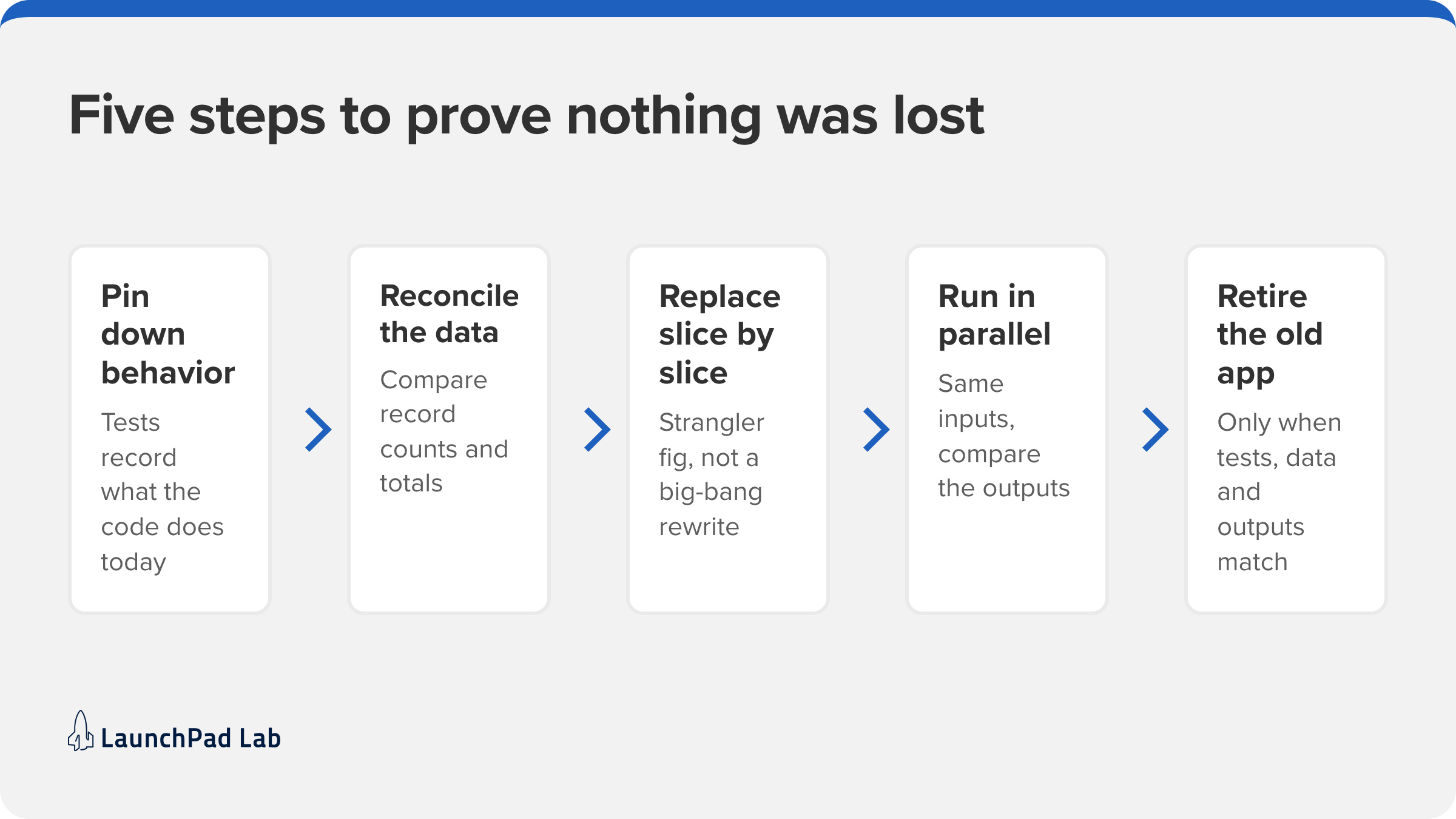
With the inventory done, here are five steps for checking that the new system still does everything the old one did:
1. Pin down current behavior with characterization tests
A characterization test records what the code does today, right or wrong, so any change shows up as a failing test. Michael Feathers coined the term for tests that describe the actual behavior of existing software. Start with the rules and outputs from your inventory: feed the old app the inputs it sees in real life, save what comes out, and check that the new code produces the same results. The tests only tell you when behavior changes; whether the old behavior was right is a separate conversation with the business.
2. Migrate and reconcile the data first
Move the data and reconcile it before you build new screens, comparing record counts and totals between the old and new systems. Finding a data problem before the new screens exist is much cheaper than finding it at cutover. On the Flexco client portal, data migration came first, including automating the migration of over a million records.
3. Replace one slice at a time with the strangler fig pattern
The strangler fig pattern replaces the old app piece by piece instead of in one big-bang rewrite. New features go live beside the old system, and behavior moves over a slice at a time until the old app has nothing left to do. Martin Fowler notes that this makes “investment and returns occur gradually and visibly,” so leadership sees progress long before the end. It’s also how we approach staged cutovers on web application development projects.
4. Run the old and new systems in parallel
Run both systems side by side on the same inputs and compare the outputs before any user switches. The Patterns of Legacy Displacement authors list parallel run among the cutover strategies that have worked. Treat each difference as a question: is it a bug in the new app, or a rule the inventory missed?
5. Retire the old system once the evidence says so
Switch off the old system only when the tests pass, the data reconciles, and the parallel run matches. Write down what “done” means before you start, and name who signs off, so the decision is a check against that list. After that, archive the old data and put the shutdown date on the calendar.
Legacy modernization examples: Four projects, four different paths
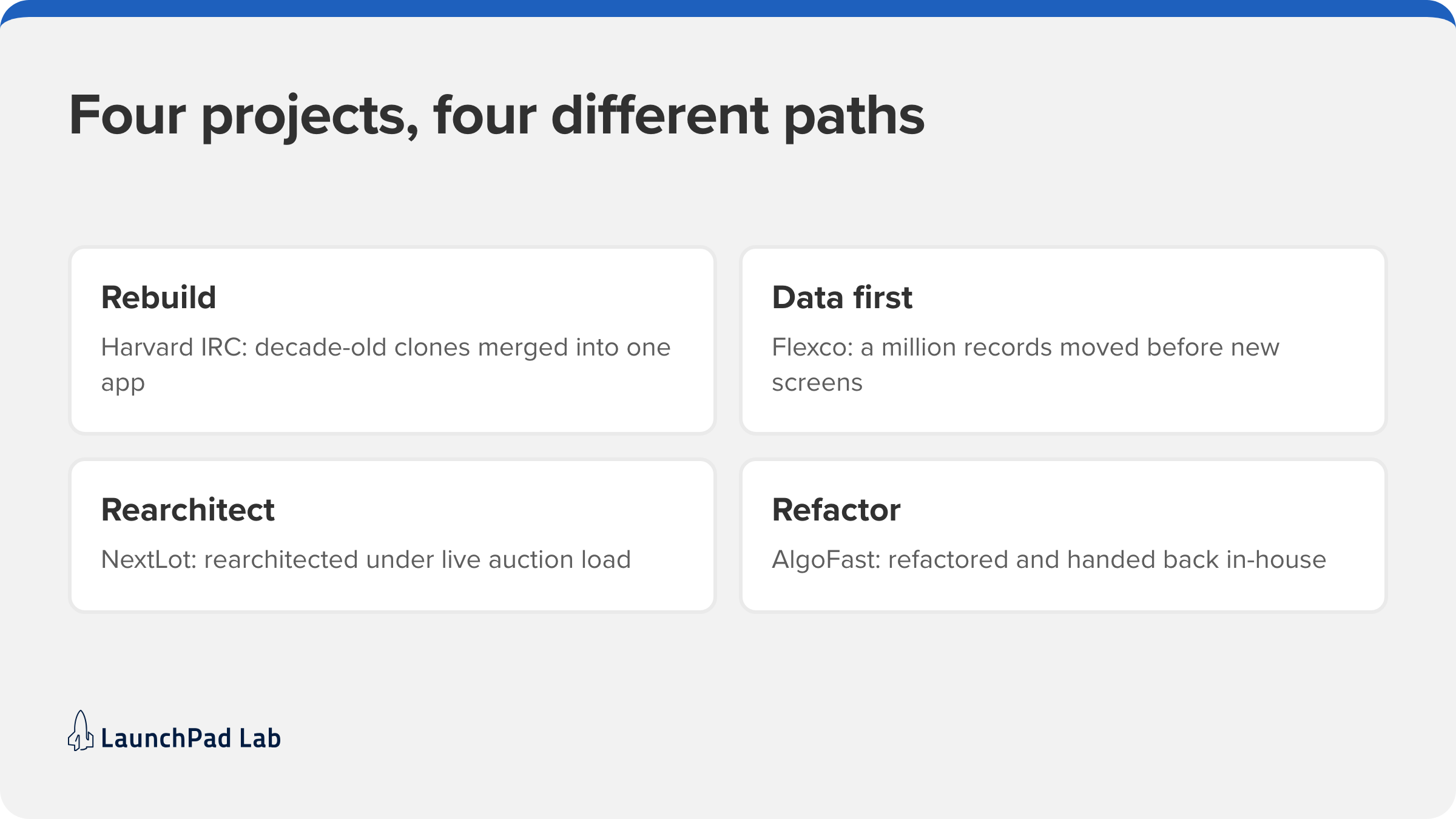
Our own projects show how these paths play out. Each of these four took a different one.
Harvard IRC: Decade-old clones merged into one app
The Harvard International Relations Council was running “decade-old software which was becoming a bottleneck“: “multiple clones of a single software system, each with a separate server and database.” After discovery and product workshops, we built one unified web application to manage its conferences and events. The results include weeks of manual work saved on invoicing and reconciliation. That made it a rebuild.
Flexco: A million records moved before any new screen
Flexco needed to update its platform to handle large volumes of vehicle data. We worked in three phases: data migration first, automating the migration of over a million records, then a self-service client portal, then a revamped bidding application. Admin workload dropped, and clients gained more control over their own reports. The data came first, and the new portal was built on top of it.
NextLot: Rearchitected under live auction load
NextLot’s servers “couldn’t handle the overload of bids as lots closed.” In the last hour of an auction, server load could spike by 100x, and bids were dropped in many instances. We migrated the platform to AWS, added a custom auto-scaler that adds servers as auctions near their close, and used WebSockets so bid prices update in the browser immediately. The infrastructure now scales “from four to sixty servers” to meet the load, “all without dropping any bids.” This is one of our older projects, and the pattern still applies: when the design can’t carry the load, the fix is a rearchitecture.
AlgoFast: Refactored and handed back to the in-house team
AlgoFast’s application was built by an outsourced team, and its in-house developers were struggling to improve it. We reviewed the codebase, prioritized the most critical problems, and paired with their developers in training sessions, with a plan to refactor the code into “a more readable and reliable format.” The in-house developers are now “back in total control of the application.” That makes it our refactor example.
Can AI coding tools modernize a legacy application?
They can speed up the slow parts: reading old code, drafting characterization tests, and translating code from one language or framework to another. What they can’t do is decide which behavior your business still needs, and that judgment is the hard part of modernization. At LaunchPad Lab, AI-assisted code generation is part of our Nova delivery model, and every release is human-approved. That’s why the inventory comes first: it gives the tools, and the people reviewing their output, something specific to check against.
AI can also create the next generation of legacy apps. A prototype built quickly with an AI coding tool becomes hard to change if nobody records what it does. Once your app is modernized and its behavior is written down, it’s a much better base for adding AI features, which is the work our AI software development team does.
Where to start with your legacy app
Start with one app and write down its business rules, integrations, and workarounds in a single document. Review it with the people who use the app every day, because they’ll catch what’s missing faster than any code review will. Only then choose a path for legacy application modernization. That same document becomes your test list for the new system, so it keeps paying off through cutover. Once the new app is live, managed support and enhancement keep it from becoming the next legacy app. If you’d like help with the inventory and the plan that follows, our Blueprint Workshop turns what you find into estimates and a roadmap. Schedule a call with our team now.
Frequently asked questions
What do legacy modernization services include?
Legacy modernization services usually cover assessing the app and inventorying what it does, choosing a path, migrating the data, building or refactoring, cutting over, and supporting the new app afterward. Scope varies, so ask any provider which of these steps it handles.
How long does legacy application modernization take?
The timeline depends on scope. Replacing one app or one slice can take weeks to a few months: we delivered Digital Dental Solutions’ HIPAA-compliant replacement portal in under 3 months. A whole portfolio takes longer, because you modernize one app at a time.
What drives the cost of modernizing a legacy app?
Five things drive it: the size of the codebase, how much undocumented logic it holds, the number of integrations, the volume of data to migrate, and the compliance scope. Each one adds to the inventory, testing, and reconciliation work.