Every customer who puts their brand on your product changes how it looks. One sends a pale yellow logo, another a brand color that fails contrast on every button, a third has a paid font nobody licensed for an app. A white-label app has to look right for all of them, and a good white-label design decides that before the first customer signs.
At LaunchPad Lab, we design and build products that other organizations rebrand. The problems we see come from decisions made too late: what customers can change, how the theme is stored, and how each brand gets in.
Read on and discover how to build a white-label design system.
TL;DR
- A white-label app is one product other companies license under their own brand.
- Give each element that customers can change a guardrail, like WCAG’s 4.5:1 contrast minimum and a font license that covers app use.
- A white-label design system built on design tokens turns each new customer into a new theme.
- Settle legal pages, feature access, domains, sign-in, and app store rules early.
- Start with hardcoded branding, then move to an admin screen and self-service as you grow.
What is a white-label app?
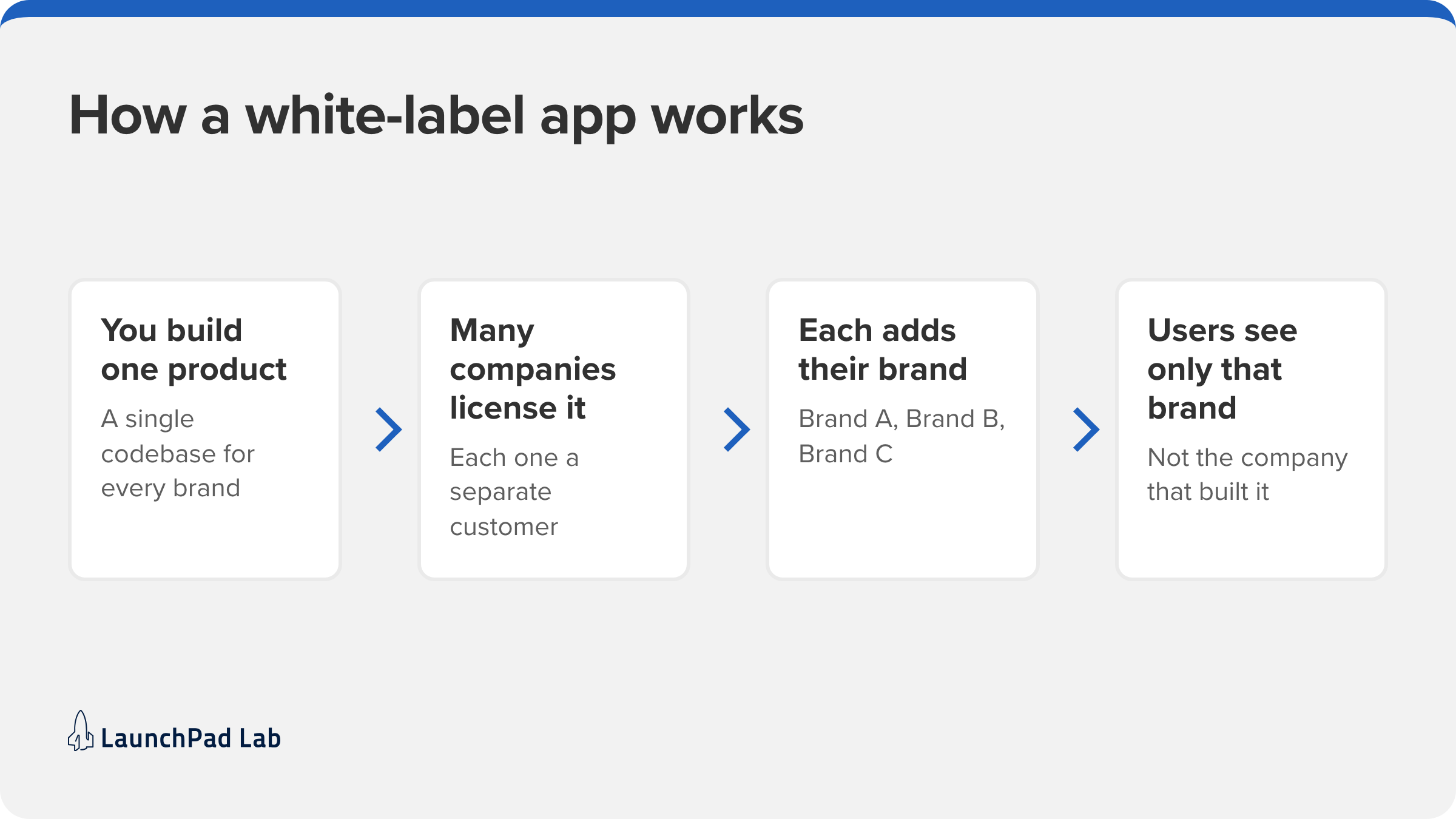
A white-label app is a product one company builds, and other companies license and offer under their own brand, name, and colors. The customer buys the right to use it, adds their branding, and their users may never know who built it.
That means one codebase serving many brands. It also means deciding early how much each customer can change, from swapping in a logo to choosing their own colors, fonts, and layouts.
Why build your app to support white labeling?
You get to sell the same product to many customers, and each one gets something that feels like their own. The tradeoff is yours: every new brand is another version of your interface that has to look right.
Designing for many brands at once is a UX question before it’s a code one, which is where UX and UI design earns its keep. Still weighing whether to build your own platform? See our comparison of custom software and off-the-shelf solutions, and our guide to app development firms.
White-label design: the 5 elements customers will change
Good white-label design starts with one decision: how far customization goes, from a logo swap to full themes. Every option you offer is one more thing that can break, so each element below needs a guardrail.
| Element | What customers change | Your guardrail | What breaks without it |
| Logo | The logo in the header and emails | SVG, neutral background, fixed area | The logo vanishes on dark headers |
| Colors | A primary brand color, sometimes a secondary | Accents only, checked against WCAG 4.5:1 | Button text becomes unreadable |
| Imagery | Hero and background images | Commercial rights, set dimensions | Awkward crops and slow pages |
| Fonts | The brand typeface | A license that covers app use, one family | A licensing claim or slow load |
| Themes | Layout and density | A short list of approved layouts | Key information moves around |
1. Logo
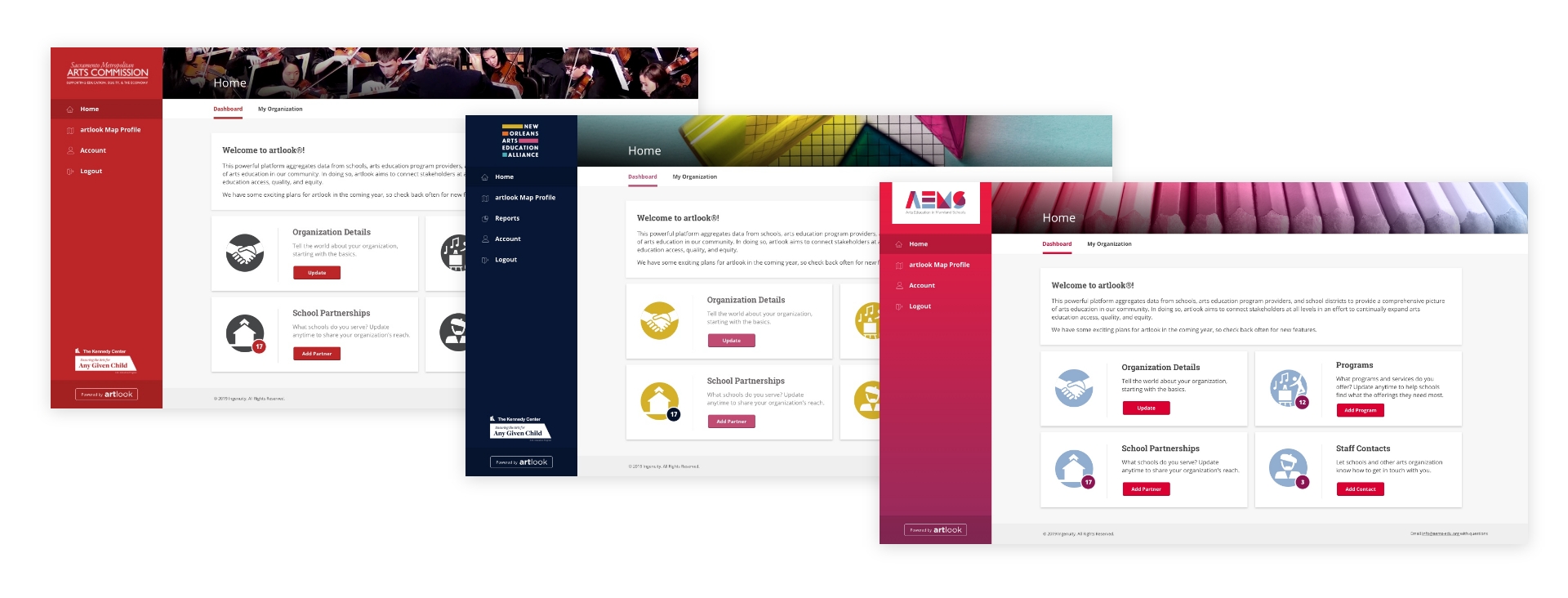
Logos come in all shapes and sizes, so find the sweet spot where each one is clear and prominent. Reserve a fixed area, let the logo scale inside it, and ask for SVG files so it stays sharp at any size. White backgrounds work better than colored ones, since nearly every company has a dark version of its logo.
2. Colors
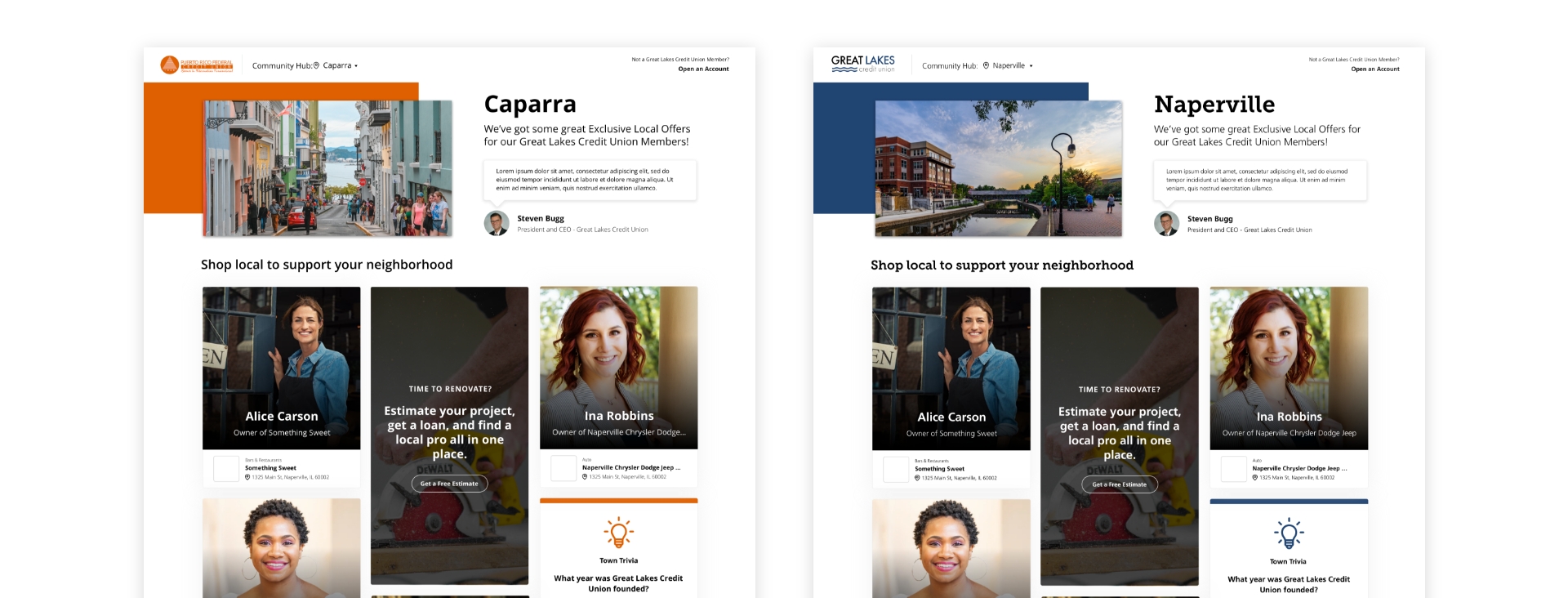
Brand colors make the app feel like the customer’s own. One primary color is simpler than a full palette; if you use more, plan for the customer who only has one, and keep your default palette neutral. Some palettes also fail color contrast, and the WCAG contrast minimum asks for 4.5:1 on normal text. When a brand color falls short:
- Use it only for accents.
- Use a tint of it.
- Encourage the customer to revisit their palette.
Our notes on accessibility cover the rest.
3. Imagery
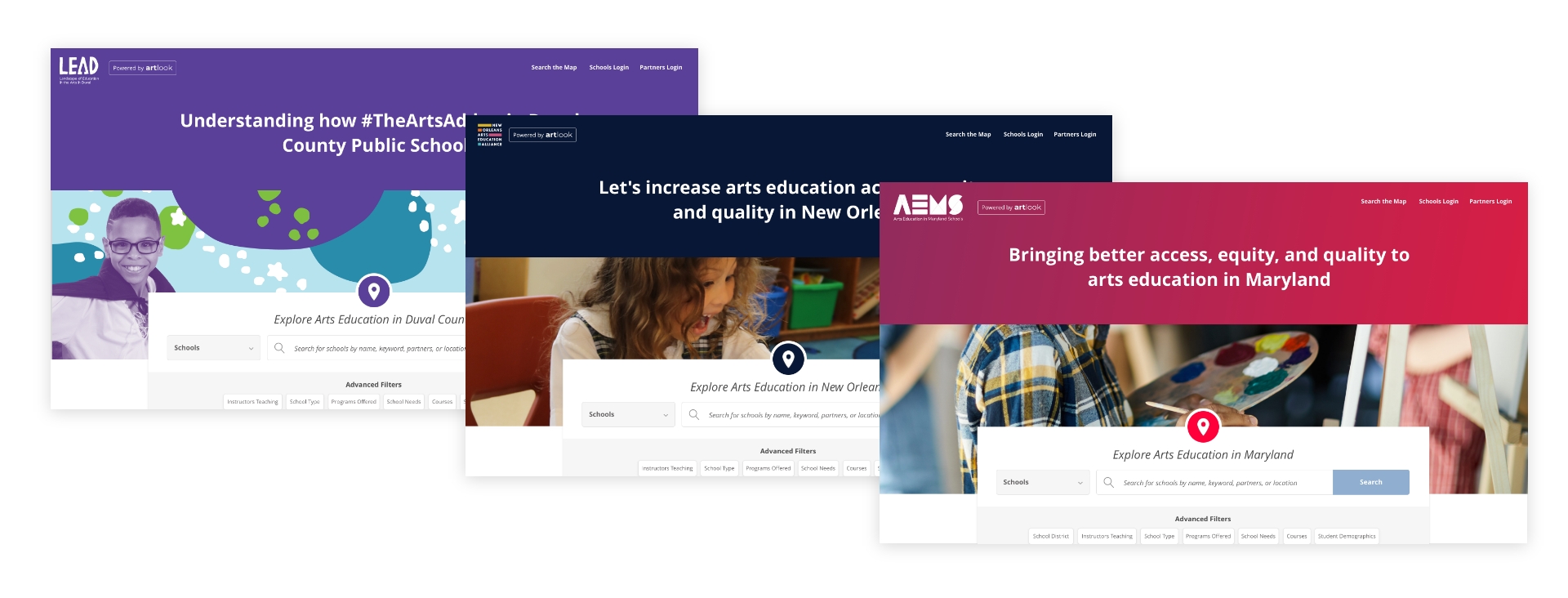
Images carry a lot of a brand’s personality, but check that the customer has the right to use each one and whether it needs a commercial license. Share the ideal dimensions and ratios, show where images will crop, and test that they hold up across screen sizes. We keep every asset in an app under 500 KB, and JPEG or PNG works best for photos.
4. Fonts
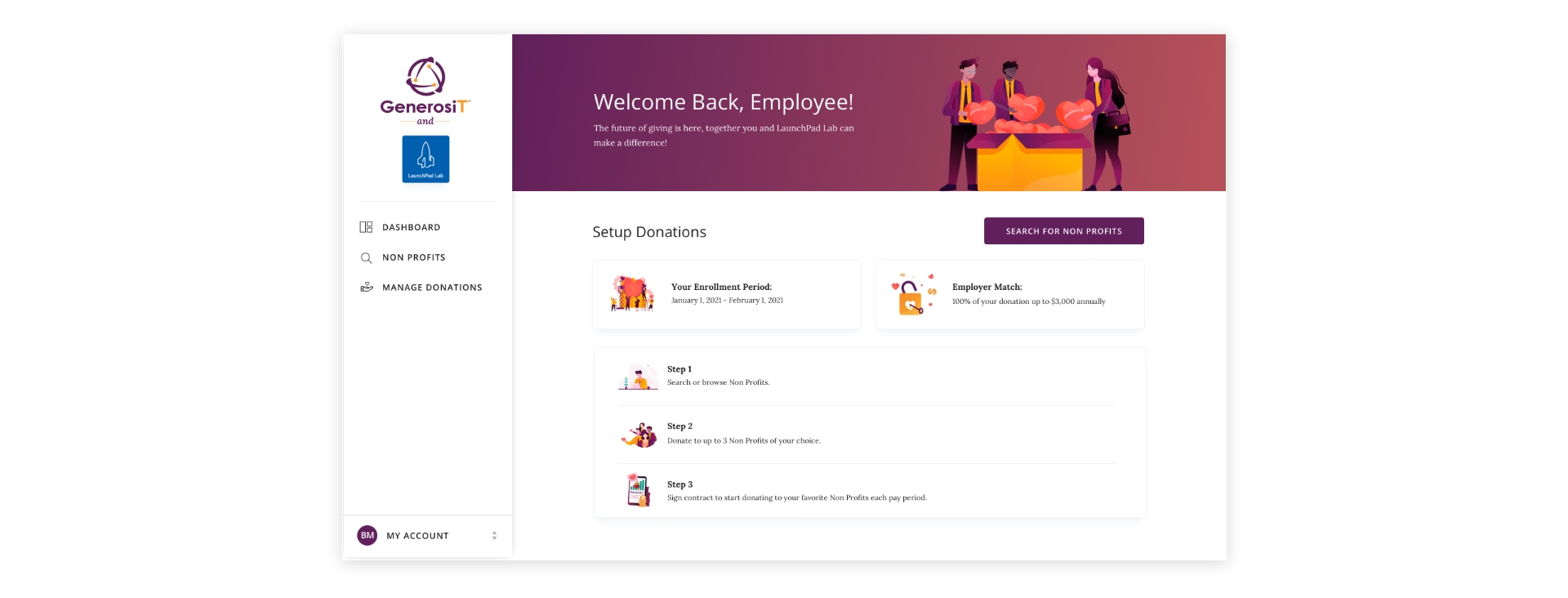
Brand fonts come from the customer’s brand guidelines, and font licensing decides whether you can use them. A paid font needs a license that covers a white-label app, or the customer upgrades or picks an alternative. Stick to one family, since each extra font slows the page.
5. Themes
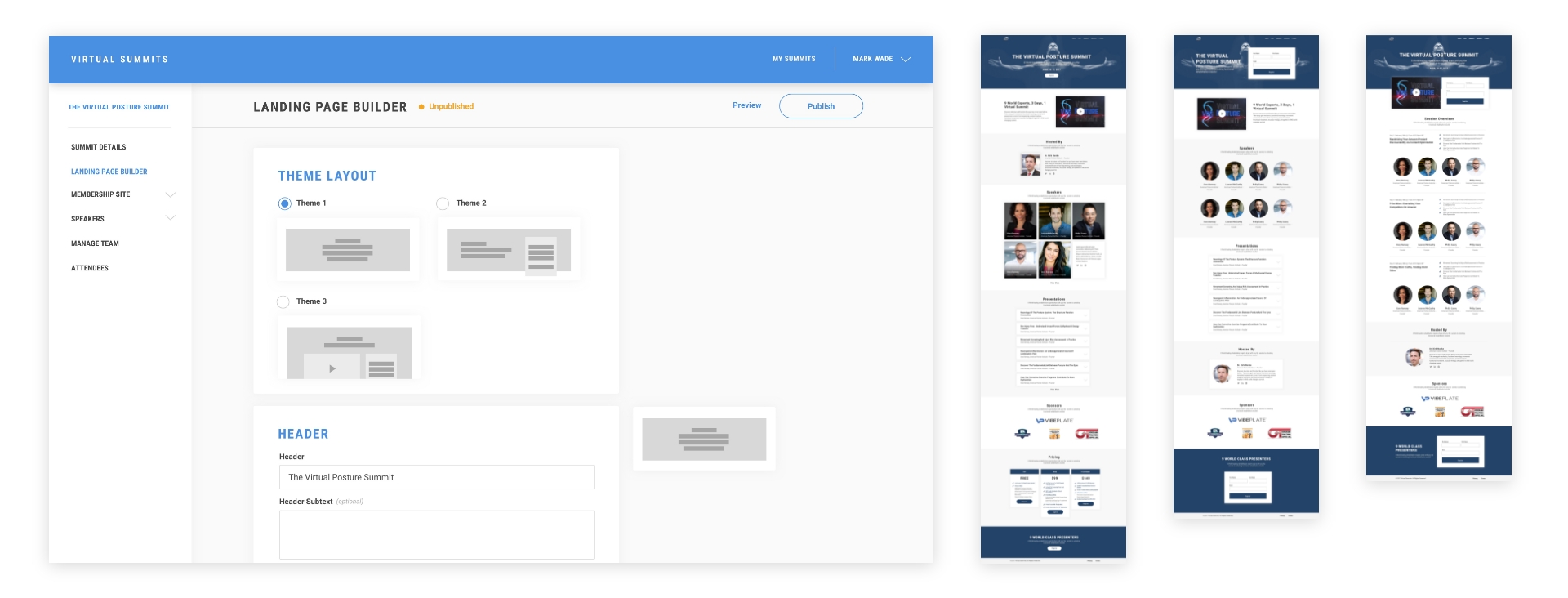
If customers can choose a layout, offer a few, not many. A short list reduces decision fatigue and keeps you in control of how key information is organized.
How do you build a white-label design system?
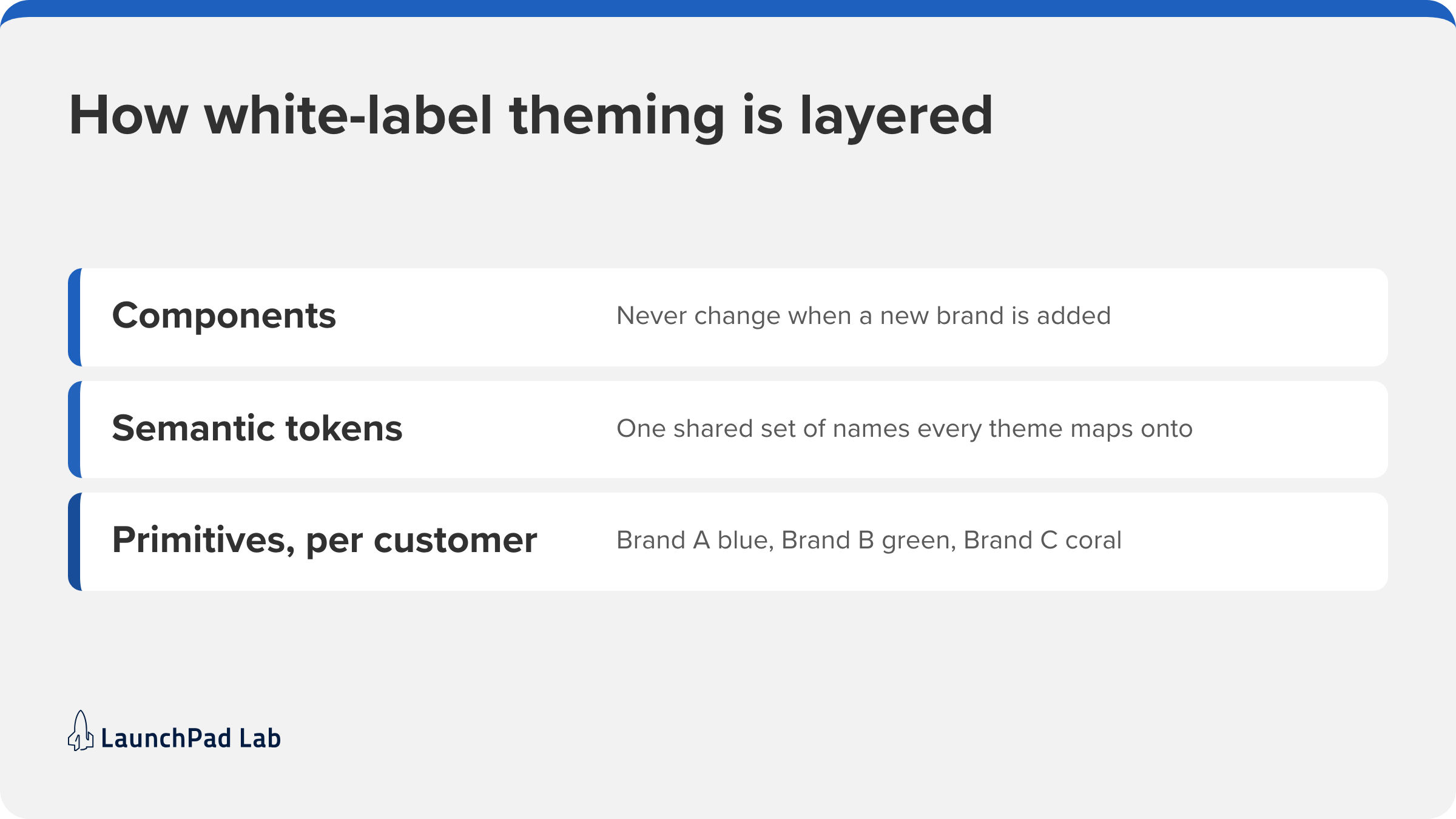
Design tokens are what keep every customer’s version consistent without redesigning the product each time, and they’re the core of any white-label design system. They’re named values for color, type, and spacing that components read instead of hard-coded styles.
1. Define your primitive tokens
List each customer’s raw values: exact brand colors, fonts, and spacing.
2. Map them to semantic tokens
Give each value a job, like “button background” or “link text”, and map every customer’s primitives onto the same names.
3. Build components on semantic tokens only
Components in your component library read only the semantic layer, so adding a brand never means touching a component.
4. Hold each customer as a theme in design
Figma variables can hold each customer as a separate mode, so designers can check any screen in any brand.
5. Ship themes as CSS variables and check contrast
In the product, the same tokens ship as CSS variables set per customer at load time, which is how one multi-tenant codebase serves every brand. Check each theme against the contrast rule when it’s created.
Setting this up early is the kind of groundwork our digital design and product development team does.
5 other considerations when designing white-label apps
A customer’s launch is often held up by questions that have nothing to do with visuals. Ask these five early:
- Do legal pages need to be tailored to each customer? Privacy policies and terms may need to be the customer’s own, so involve their lawyer.
- Will some customers only get certain features? Then design in modules, so each customer’s version still feels whole.
- Will your product be credited? A “Powered by” link in the footer is good marketing for you.
- Does each customer need its own domain, email, and sign-in? Customers often expect a custom domain, branded emails, and single sign-on.
- Will the app go through an app store? Apple’s App Store Review Guidelines (4.2.6) reject apps built from a commercialized template unless the content provider submits them.
How to onboard each customer’s branding
How branding gets into the product decides how much work each new customer creates for your team. There are three common ways to do it:
- Hardcoded. The customer sends assets, and your developers add them to the codebase.
- A support-team interface. Your support team edits each customer’s branding in an admin screen, without a deployment.
- Self-service. Customers maintain their own branding, with the guardrails above built into the form.
Hardcoding works for your first few customers. Move to an admin screen once branding changes often, and to self-service when customers start onboarding without you. Whichever you choose, ask each customer for logo files, brand colors, a licensed font, imagery, and, if needed, their domain. Your onboarding model is worth settling alongside the rest of your web app development plan.
What to do next
A white-label app works when every customer’s version looks intentional. That comes from three early decisions: how much each customer can change, a white-label design system built on tokens with contrast checks, and a clear way for branding to get in. A practical first step is to write down a guardrail for each of the five elements before a customer asks for something your product can’t handle.
If customers are already asking for their own branding, list what they want to change, then test their colors against the contrast rule. If you’d like a second opinion on your theme, talk to our team and bring the list of what your customers have asked to change.
Frequently asked questions
What are the disadvantages of white labeling?
For the builder, there are two costs: every customer brand is another version to design and test, and a flaw shows up in every customer’s version at once. For the customer, customization stops where the builder’s guardrails do.
Is white labeling legal?
Yes. It’s a standard licensing arrangement, and the contract should settle three things: who owns the code, the data, and each brand’s assets. The customer also needs rights to every logo, image, and font they supply.
How do you license fonts for a white-label app?
Check that the font’s license covers embedding in an app you provide to other companies. If it isn’t covered, buy the right license or use a font under the SIL Open Font License 1.1, which allows bundling in apps and software under its conditions.
What is the difference between white label and private label?
A white-label product is one generic product that many companies each use under their own brand. A private-label product is made for exactly one company and sold only under its name. So only a white-label app needs theming for many brands.